REVIEW 004 // LOGITECH M190 // SIMPLE WIRELESS MOUSE FOR EVERYDAY USE
SEPTEMBER 2026
A simple full-size wireless mouse for around €15. But is there really anything more you need?

01 // WHY I BOUGHT IT
I’ve recently been putting several older laptops back into use for OpenBootLab, and that created a very simple problem: I needed a wireless mouse.
I wasn’t looking for RGB lighting, gaming features or software with twenty different settings. I wanted something inexpensive, reliable and comfortable enough to throw into a laptop bag and use without thinking about it. That led me to the Logitech M190.
Logitech has been making inexpensive mice like this for years, and the M190 is about as straightforward as they come: a full-size wireless mouse, a tiny USB receiver and not much else. So I bought one to see whether a basic mouse like this is really all you need for an everyday laptop.
02 // UNBOXING
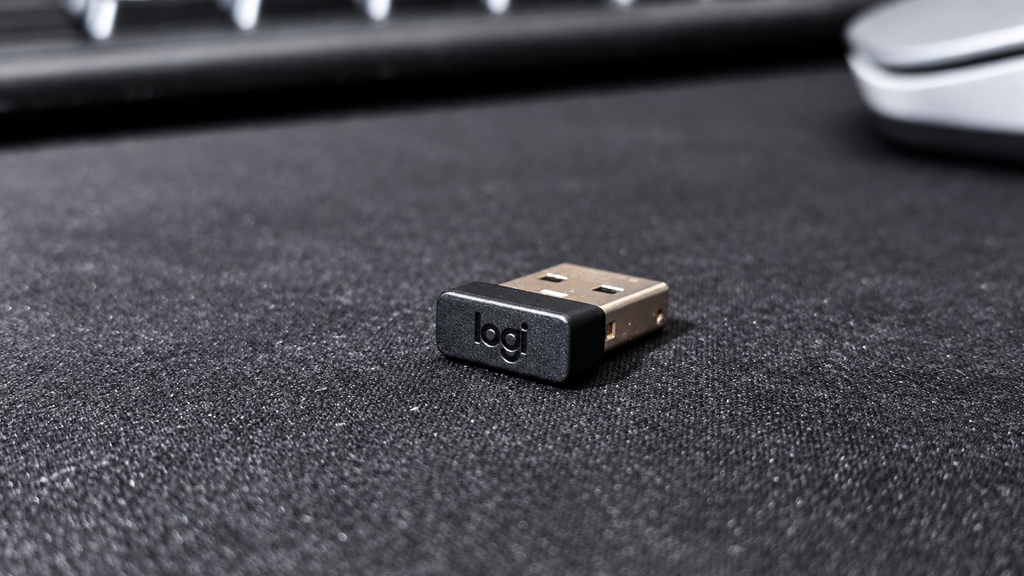
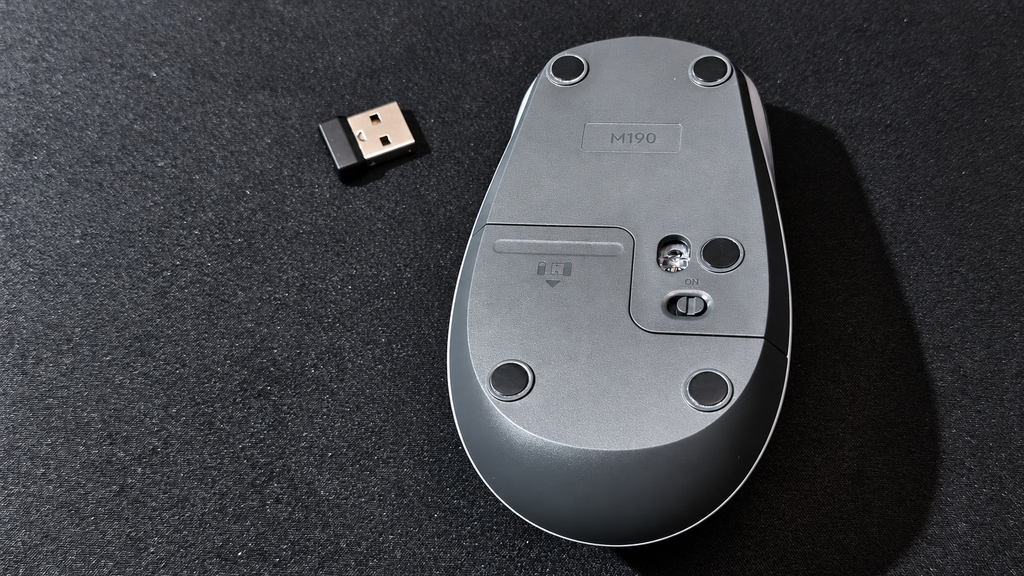
There really isn’t much ceremony here. Inside the packaging you get the Logitech M190, its small USB receiver and the included AA battery. The receiver can be stored inside the mouse when you’re not using it, which is particularly useful if the M190 spends most of its time travelling inside a laptop bag.
Setup is exactly what you’d expect. Plug the receiver into a free USB port, switch on the mouse and start using it. No account. No pairing process. No additional software required for basic operation.
03 // DESIGN AND BUILD QUALITY
The M190 is a full-size mouse, which is one of the main reasons I chose it over some of Logitech’s smaller portable models.
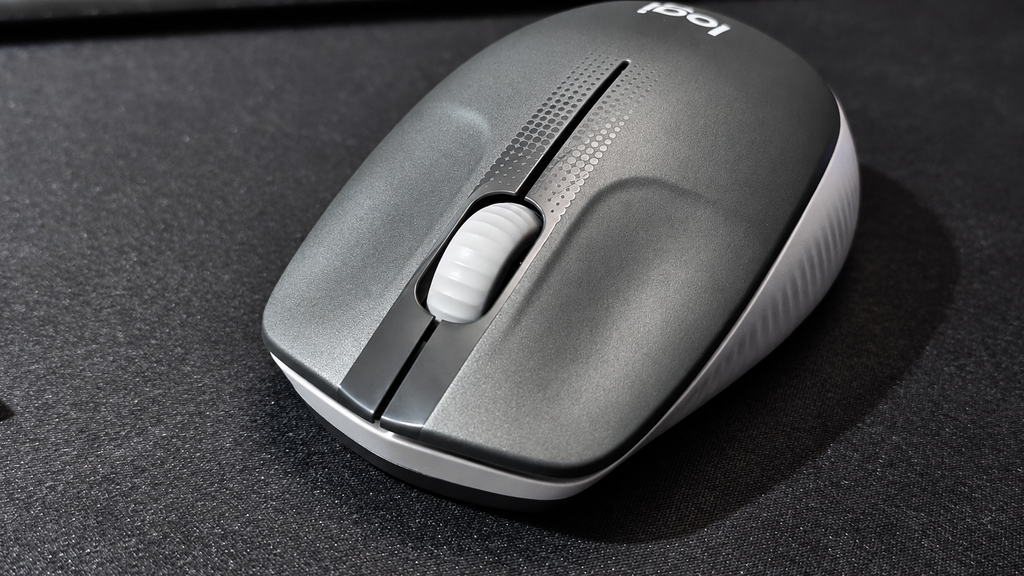
The shape is simple and fairly conventional, with a curved body and textured sides that provide some additional grip.
Build quality feels appropriate for an inexpensive Logitech mouse. It’s almost entirely plastic and doesn’t pretend to be a premium peripheral, but nothing immediately feels particularly fragile either. There are only the essentials: left and right buttons, a clickable scroll wheel and an on/off switch underneath.
And honestly, that’s part of the appeal.
04 // USING IT
I’ve been using the M190 with both my ThinkPad SL510 and the HP Mini 110 that I recently brought back to life with antiX Linux.
The ThinkPad has recently become my main writing laptop for OpenBootLab, while the HP Mini is more of a lightweight Linux and home-lab machine. The M190 worked without any problems with both. Plug in the USB receiver and it is ready to go, including under antiX on the Mini.
For writing articles, browsing WordPress, working with files, using the terminal and normal desktop work, the M190 does exactly what I wanted it to do. Tracking feels perfectly adequate, the wireless connection has been trouble-free so far, and I haven’t found myself thinking about the mouse while using it.
That’s probably one of the better compliments you can give a basic peripheral.
For gaming, however, the M190 wouldn’t be my first choice. It is perfectly fine for an occasional casual game, but this isn’t a gaming mouse. There are no additional buttons, adjustable DPI settings or other gaming-focused features, and the overall feel is clearly designed around everyday productivity rather than fast or competitive gameplay. That’s not really a criticism of the M190, it simply isn’t what this mouse was designed for.
For web browsing, writing, office work, terminal use and general laptop use, however, I haven’t felt like I’m missing anything.

05 // THE USB RECEIVER
One disadvantage compared with Bluetooth mice is that the M190 requires its dedicated USB receiver. On an older laptop like my ThinkPad, that’s not much of a problem. There are traditional USB-A ports available, so I can simply leave the receiver connected.
The receiver itself is also tiny enough that it barely protrudes from the laptop. For newer ultrabooks with very few USB ports, or machines equipped only with USB-C, this approach is obviously less convenient. For the old hardware I’m using it with, however, it’s almost ideal.
06 // COMFORT AND EVERYDAY USE
After using the Logitech M190 regularly for about five days, I’ve had enough time to get a good feel for how comfortable it is during everyday use.
The first thing worth mentioning is the size. The M190 is a full-size mouse and seems better suited to larger hands. For me, that works well and I find it comfortable even during longer sessions. If you have smaller hands, however, the M190 might feel a little too large, especially compared with more compact laptop mice.
The main buttons feel good and have a satisfying click without being excessively loud. The sound is restrained enough that I would have no problem using the M190 in an office or other quiet environment.
The scroll wheel is similarly straightforward. It doesn’t feel particularly premium, but for web browsing, scrolling through documents and working in WordPress, it does exactly what I need it to do. After several days of using it with both the ThinkPad SL510 and HP Mini 110, comfort hasn’t been an issue. It’s not trying to reinvent the mouse—it simply provides a comfortable, predictable experience for normal everyday work.
For the kind of inexpensive everyday mouse the M190 is supposed to be, that’s more than adequate.
07 // A BORING MOUSE — IN A GOOD WAY
The Logitech M190 isn’t an exciting mouse, and after using it for several days, I think that’s actually one of its strengths.
There is no RGB lighting, no software to configure, no adjustable DPI and no collection of extra buttons. You plug the tiny USB receiver into your computer, switch the mouse on and start using it. For gaming, I would definitely look elsewhere. But for the job I bought it for—writing, browsing, working on OpenBootLab and general everyday computer use—I don’t really need anything more.
I’ve used it with both my ThinkPad SL510 and HP Mini 110, and it has worked exactly as expected with both machines. The full-size body fits my hands well, the buttons feel good, the clicks are quiet enough for office use and the scroll wheel is perfectly adequate for browsing and documents.
It’s also exactly the kind of peripheral that makes sense with older hardware. There’s no software dependency or complicated setup to worry about. Just a USB receiver and a mouse. The M190 isn’t going to make an old laptop more exciting. It just makes it easier to use.
And for a simple everyday wireless mouse, that’s really all I wanted.
// END OF THE REVIEW
Leave a Reply