REVIEW 006 // TP-LINK TL-WN725N // NANO USB WI-FI ADAPTER
SEPTEMBER 2026
A tiny and inexpensive USB Wi-Fi adapter turned out to be the simplest solution to the wireless problems on my ThinkPad SL510. Here is the unboxing, Linux setup, size comparison and real-world performance test.

01 // WHY I NEEDED A USB WI-FI DONGLE
While experimenting with Linux on my ThinkPad SL510, I encountered a frustrating problem with its internal Wi-Fi adapter.
The system could see the wireless hardware, but connecting to my network was unreliable. At one point, NetworkManager repeatedly reported that the Wi-Fi network could not be found, even when the laptop was close to the router and other devices were connected normally.
I experimented with different Linux installations and possible solutions, but I ultimately wanted something simple that would allow me to continue using the laptop instead of spending more time fighting its old internal wireless hardware.
The answer was a small USB Wi-Fi dongle.
I bought this nano adapter from a local computer shop in Ivančna Gorica. My main requirement was simple: it needed to work under Linux, provide enough speed for everyday browsing and remain small enough to leave permanently connected to the ThinkPad.
02 // QUICK UNBOXING
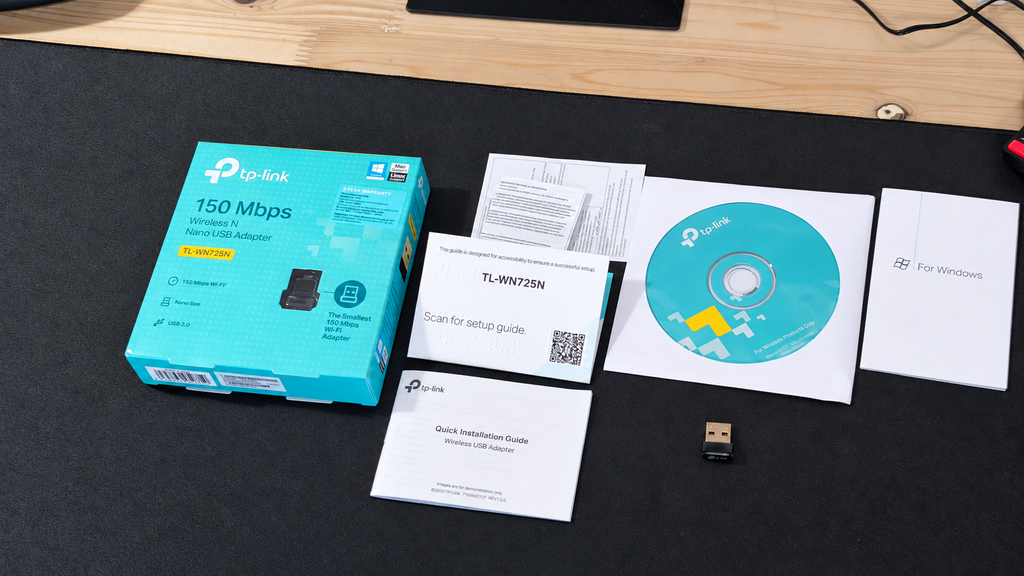
The packaging is basic, which is exactly what I expected from an inexpensive USB Wi-Fi adapter.
Inside the package, you receive:
- The nano USB Wi-Fi adapter
- Driver disc
- Quick Setup Guide
- Basic product documentation
There is no complicated setup hardware and nothing unnecessary. The adapter itself is the main attraction, and it really is tiny.
The short unboxing video above shows the packaging, included contents and the size of the adapter before installing it in the ThinkPad.
03 // SPECIFICATIONS AND SIZE
The TP-Link TL-WN725N is a compact Wireless N USB adapter designed to add Wi-Fi connectivity without leaving a large device sticking out of the laptop.
It connects through USB 2.0 and supports IEEE 802.11b, 802.11g and 802.11n networks on the 2.4 GHz band. TP-Link advertises a maximum wireless link rate of up to 150 Mbps. This is not the same as a guaranteed internet speed, but it should be sufficient for browsing, downloading updates, streaming video and other everyday tasks.
Specifications:
- Model: TP-Link TL-WN725N
- Product type: Wireless N Nano USB Adapter
- Interface: USB 2.0
- Wireless standards: IEEE 802.11b/g/n
- Frequency: 2.4 GHz
- Maximum advertised rate: Up to 150 Mbps
- Antenna: Internal
- Dimensions: 18.6 × 15 × 7.1 mm
- Weight: 2.1 g
- Wireless security: WEP, WPA/WPA2 and WPA/WPA2-PSK
- Official operating-system support: Windows and Linux
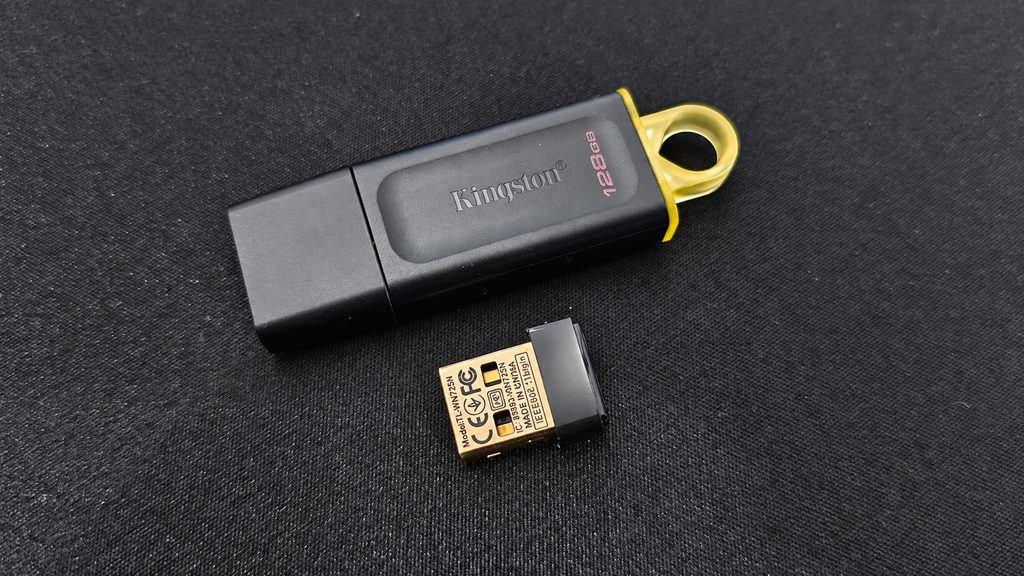
The nano design is one of the TL-WN725N’s biggest advantages. Once inserted, only a small part of the adapter remains outside the USB port. It is noticeably smaller than a normal USB flash drive and is closer in size to the receiver supplied with a wireless mouse.
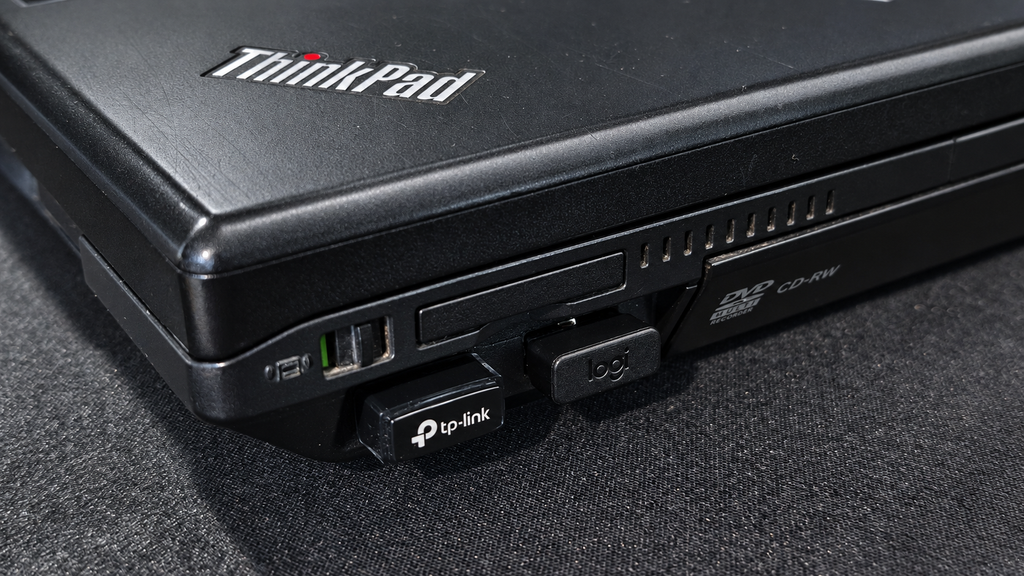
This makes it particularly suitable for a laptop like my ThinkPad SL510. I can leave it connected while carrying the laptop around, without having a large adapter protruding from its side. It still occupies one USB port, but its compact body does not block the neighbouring connections.
A larger adapter with an external antenna would likely provide better range, but the purpose of the TL-WN725N is convenience. It is designed to be inserted once and left in place, which is exactly what I wanted for the ThinkPad.
04 // LINUX SETUP
I tested the dongle on the ThinkPad SL510 running Linux Mint 22.3.
After inserting it into a free USB port, the wireless networks appeared in the network menu. I selected my home network, entered the password and connected normally.
This is exactly the experience I wanted. Instead of troubleshooting the ThinkPad’s internal wireless adapter again, I could insert the dongle and get back online.
For anyone considering a similar adapter specifically for Linux, chipset support is more important than the name printed on the packaging. Two visually identical nano adapters can sometimes use different internal chipsets, so it is worth checking the exact model before buying.
05 // SPEED AND SIGNAL-STRENGTH TEST
A nano Wi-Fi adapter does not need to break speed records to be useful in an older laptop. It needs to provide a stable connection that is fast enough for web browsing, updates, video playback and writing.
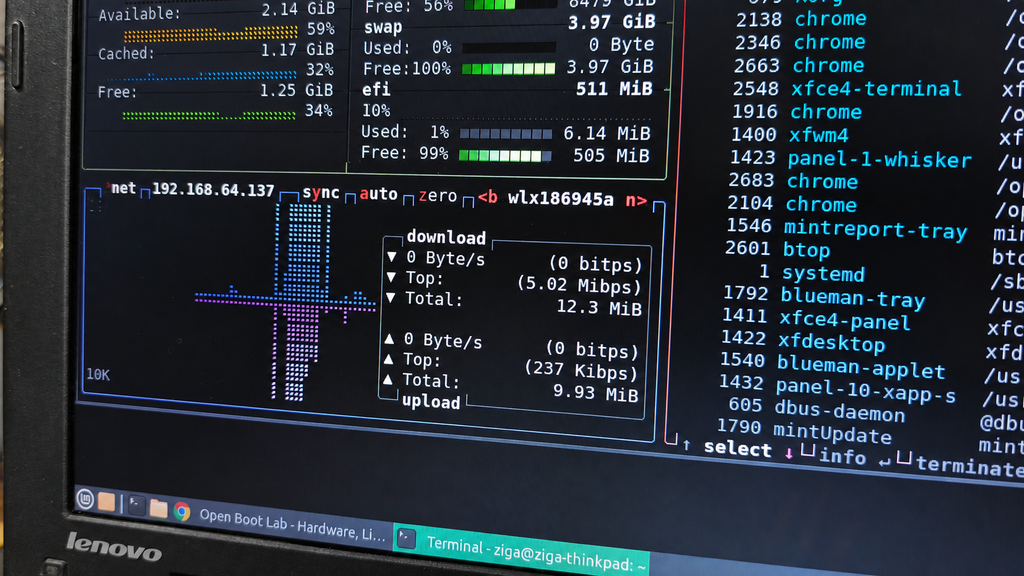
In my initial test, this adapter reached approximately 30 Mbps. That is more than enough for how I use the ThinkPad SL510.
Test results:
| Test location | Signal strength | Download | Upload | Ping |
|---|---|---|---|---|
| Close to the router | Full signal | Approximately 30 Mbps | Approximately 35 Mbps | 5 ms |
| Garage | Half of the signal | Approximately 3.5 Mbps | 4.5 Mbps | 8 ms |
It is important to treat these results as a test of the complete setup, rather than the absolute maximum performance of the TL-WN725N. The ThinkPad SL510 is an older laptop, and its USB controller, processor, operating system, browser and other hardware limitations may all influence the final measured speed. USB 2.0 itself should provide more than enough bandwidth for this adapter, but the age of the overall platform can still affect real-world performance.
The location also presents a difficult Wi-Fi environment. My garage is situated in the lower part of the house, with the wireless signal travelling through several concrete walls before reaching the laptop. This can significantly reduce both signal strength and throughput. Considering the age of the ThinkPad and the challenging location, the result is still perfectly adequate for browsing, writing and downloading updates.
06 // DAILY USE
The greatest compliment I can give this adapter is that I barely notice it.
It remains inserted in the ThinkPad and provides the wireless connection whenever I start the laptop. Its small size means I do not have to remove it when moving the computer between rooms, and it does not make the side of the laptop look cluttered.
During everyday browsing and writing, the approximately 50 Mbps connection feels completely adequate. The ThinkPad itself is far more likely to become the limiting factor than the Wi-Fi dongle.
A nano adapter may not be the best solution for maximum range, very fast local file transfers or competitive online gaming. For restoring dependable wireless connectivity to an older Linux laptop, however, it makes a lot of sense.
07 // FINAL THOUGHTS
This tiny USB Wi-Fi dongle solved a real problem with minimal effort.
Instead of continuing to troubleshoot the ThinkPad SL510’s internal Wi-Fi adapter, I now have a compact and affordable solution that works for my everyday Linux use. It is small enough to remain permanently installed and its approximately 50 Mbps real-world speed is sufficient for browsing, writing, software downloads and online video.
What I liked:
- Very compact nano design
- Simple Linux setup
- Fast enough for everyday use
- Can remain permanently connected
- Affordable solution for an older laptop
What could be better
- Less range than adapters with external antennas
- Occupies one of the ThinkPad’s USB ports
- Exact Linux compatibility may depend on the internal chipset
- Not intended for maximum wireless performance
If you have an older laptop with an unsupported or unreliable internal Wi-Fi adapter, a compatible nano USB dongle can be one of the easiest ways to bring it back online.
It may not be the most exciting upgrade inside the OpenBootLab, but it turned my ThinkPad from an offline project into a useful Linux writing machine, and sometimes the smallest upgrades make the biggest difference.
// END OF THE REVIEW 005
Leave a Reply