PROJECT 004 // LENOVO THINKPAD SL510
SEPTEMBER 2026
An old Core 2 Duo ThinkPad rescued from a €95 laptop haul and transformed into a practical Linux writing machine. This page documents its hardware, repairs, upgrades, problems and continuing life inside OpenBootLab.
01 // THE PROJECT
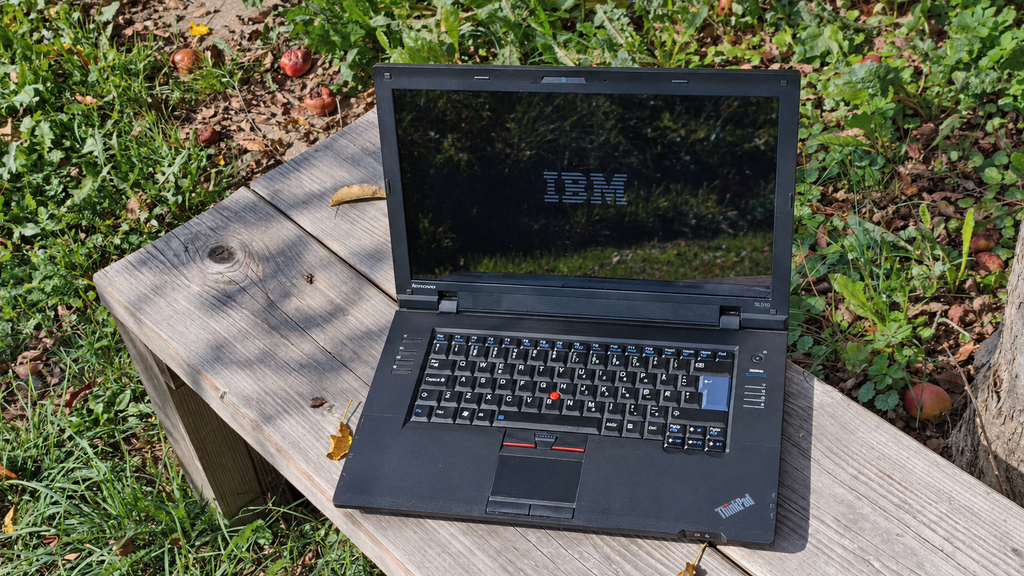
The Lenovo ThinkPad SL510 is not a rare or particularly powerful laptop. It is a practical business machine from the end of the Core 2 Duo era, and that is precisely what makes it interesting. My goal is not to turn it into something it was never designed to be. Instead, I want to restore it, solve its problems and discover how useful a laptop of this age can still be with an SSD and a lightweight Linux desktop.
The SL510 has already become more than an experimental machine. I regularly use it for writing OpenBootLab articles, browsing the web and working on content away from my main computer.
This page will serve as the permanent home of the project. Future repairs, upgrades, Linux experiments and related reviews will be added here as the laptop continues to evolve.
02 // PART OF THE €95 LAPTOP HAUL
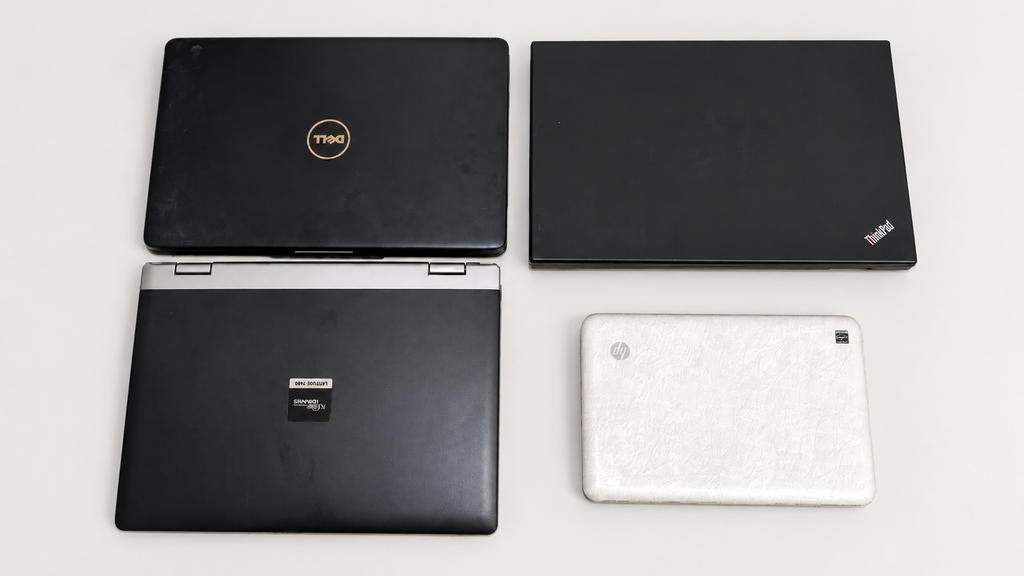
The ThinkPad arrived as part of a used-laptop bundle that cost me €95 in total.
The bundle contained four working machines:
- Lenovo ThinkPad SL510
- Dell Inspiron 1545
- Fujitsu Siemens Amilo Pro V3545
- HP Mini 110 Special Edition
Each laptop offered a different direction for OpenBootLab. The Dell and Fujitsu are suitable for Windows XP-era gaming, while the HP Mini is an interesting low-powered netbook project.
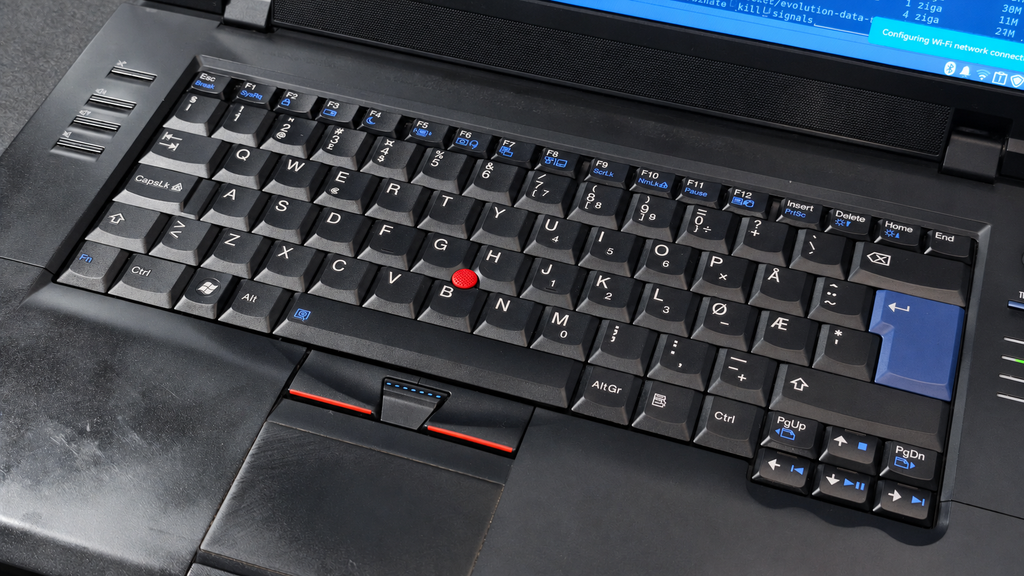
The ThinkPad quickly became the most practical machine in the collection. Its keyboard, 15.6-inch display, replaceable battery and traditional business-laptop construction made it the obvious candidate for regular Linux use.
You can read the complete story of the bundle here:
Related: https://openbootlab.com/my-e90-used-laptop-haul/
03 // HARDWARE SPECIFICATIONS
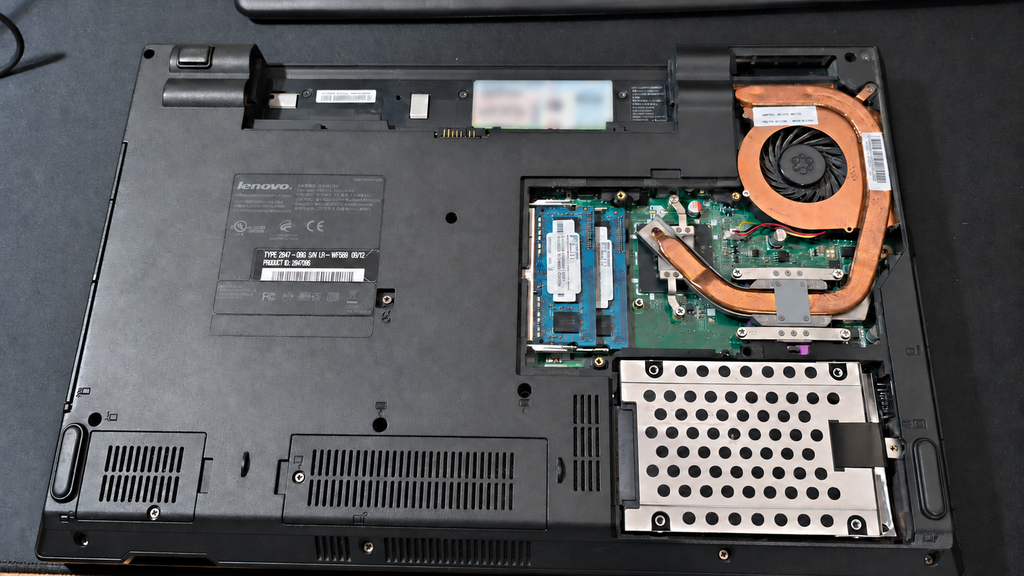
This particular laptop is a Lenovo ThinkPad SL510, machine type 2847Q9G.
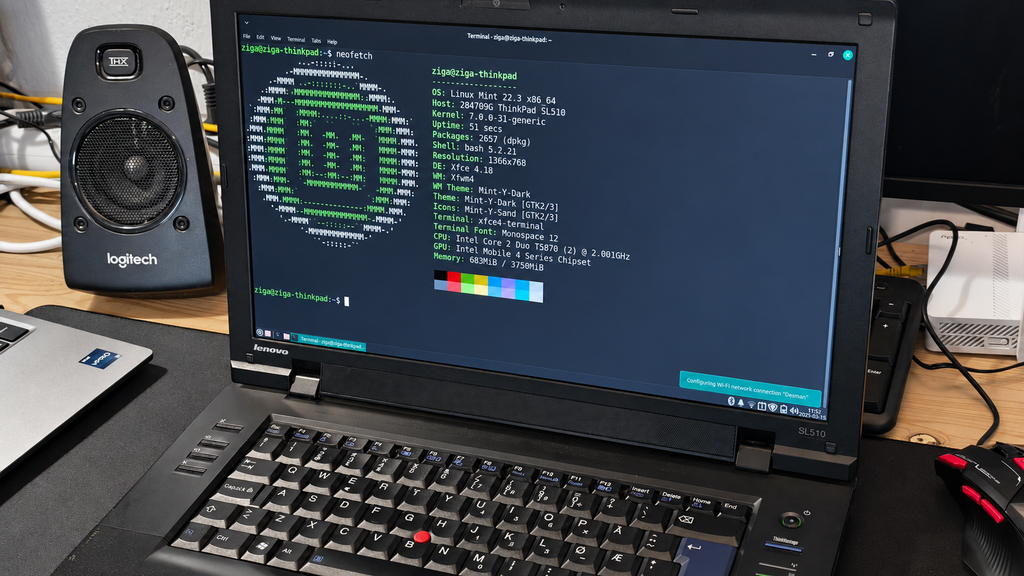
It is powered by an Intel Core 2 Duo T5870 and uses Intel’s integrated GM45 graphics. The current configuration includes 4 GB of memory and a Samsung SSD 840 PRO.
Current specifications:
- Model: Lenovo ThinkPad SL510
- Machine type: 2847Q9G
- Processor: Intel Core 2 Duo T5870
- CPU architecture: 64-bit
- Core/thread count: 2 cores and 2 threads
- Maximum CPU frequency: 2.0 GHz
- L2 cache: 2 MB
- Memory: 4 GB
- Graphics: Intel Mobile 4 Series / GM45 Express
- Display: 15.6-inch, 1366 × 768 at 60 Hz
- Storage: Samsung SSD 840 PRO, nominally 128 GB
- Available storage capacity: 119.24 GiB
- Ethernet: Realtek Gigabit Ethernet
- Internal Wi-Fi: Intel Centrino Wireless-N 1000
- USB Wi-Fi: TP-Link TL-WN725N
- Bluetooth: Broadcom Bluetooth 2.1
- Webcam: Lenovo integrated webcam
- Audio: Intel HD Audio
- BIOS version: Lenovo 6JET65WW (1.23)
- BIOS date: 19 October 2009
These specifications are extremely modest by modern standards. However, the SSD makes the machine feel considerably more responsive than it would with its original mechanical hard drive. The 4 GB of memory is sufficient for Linux Mint with Xfce, writing and lighter browsing, although modern websites can quickly consume the available RAM.
04 // INITIAL CONDITION
The ThinkPad was working when I received it, but its original battery was effectively dead. It could still operate from its charger, although that limited it to use near a power outlet.
The machine also showed the normal signs of being an older working laptop. The casing has marks and wear, but the overall construction remains solid. The keyboard, display, ports, optical drive and other essential components are functional.
I do not want to erase every sign of the laptop’s previous life. This is a restoration focused on reliability and usefulness, rather than making the machine appear factory-new.
05 // A NEW BATTERY
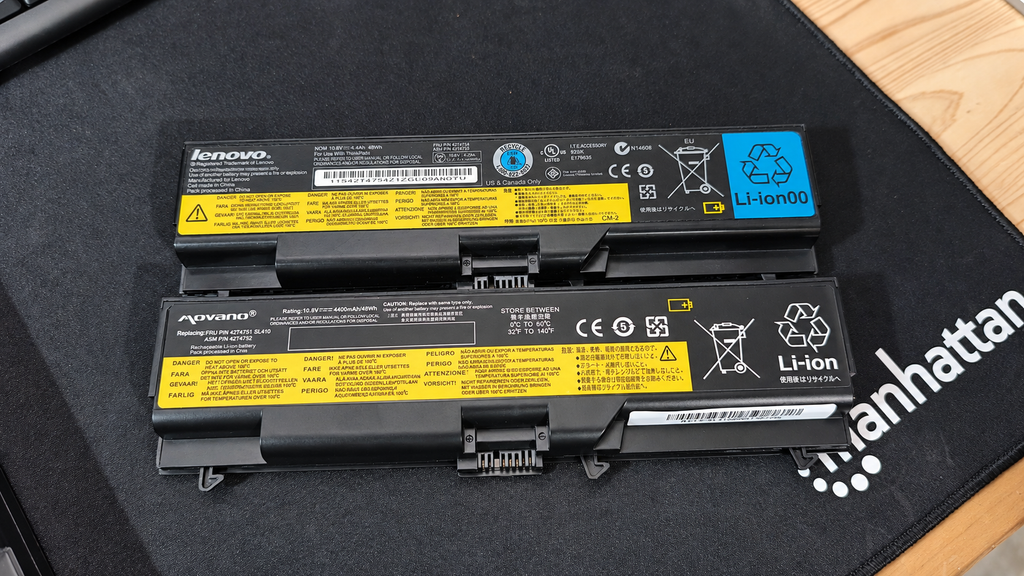
One of the first important upgrades was a replacement battery. The installed SANYO 42T4763 battery reports a design capacity of 47.5 Wh and currently also reports a full-charge capacity of 47.5 Wh. Linux therefore identifies it as having 100% of its specified health.
This completely changed how I could use the SL510. It was no longer tied to its charger and could become a portable writing machine again.
A working battery matters more to this project than chasing small benchmark improvements. It allows me to take the laptop around the house and write wherever I am comfortable, including from bed, where the ThinkPad has already spent plenty of time working on OpenBootLab articles.
06 // LINUX INSTALLATION
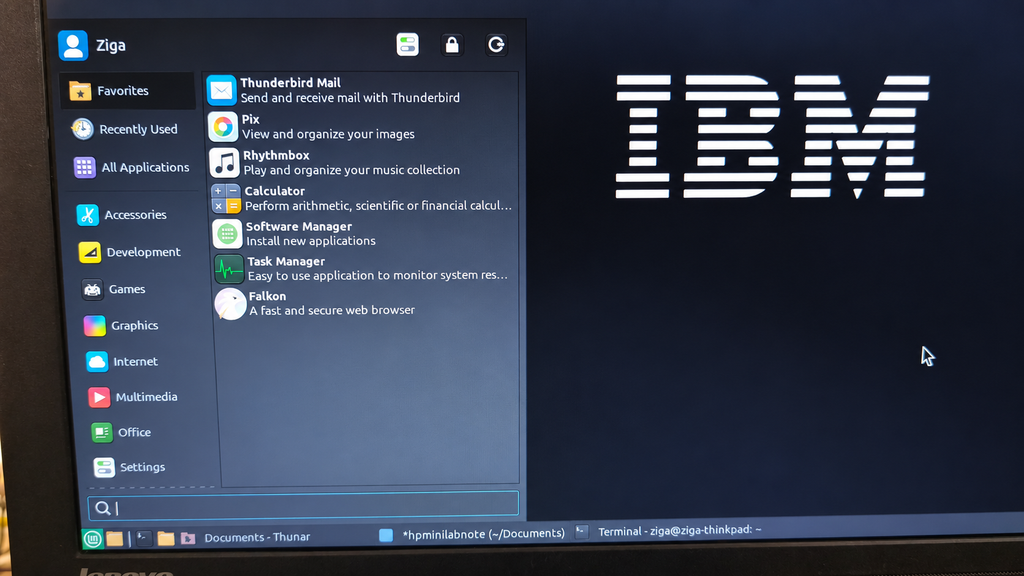
The ThinkPad is currently running Linux Mint 22.3 Zena, based on Ubuntu 24.04. I selected the Xfce edition because it provides a familiar desktop environment without placing unnecessary demands on the Core 2 Duo processor and 4 GB of memory.
Current software configuration:
- Operating system: Linux Mint 22.3 Zena
- Ubuntu base: Ubuntu 24.04 Noble
- Kernel: 7.0.0-31-generic
- Desktop: Xfce 4.18.1
- Window manager: Xfwm4
- Display server: X.Org
- Audio system: PipeWire
- Filesystem: ext4
- Swap: 3.98 GB swap file
The system idles with approximately 900 MB of memory in use, leaving enough capacity for writing, file management and a reasonable number of browser tabs.
The Intel GM45 graphics use the open-source i915 kernel driver and Mesa’s Crocus OpenGL driver. Hardware-accelerated desktop rendering works, although the old integrated graphics are not suitable for modern gaming or demanding graphical workloads.
Linux Mint with Xfce feels like an appropriate match for the hardware. It does not make the SL510 fast by modern standards, but it keeps the interface responsive and allows the laptop to perform useful everyday tasks.
07 // THE INTERNAL WI-FI PROBLEM
The ThinkPad contains an Intel Centrino Wireless-N 1000 adapter. Linux detects the device and loads the iwlwifi driver, but I experienced problems connecting it to my wireless network.
During my Debian testing, NetworkManager repeatedly reported:
Connection activation failed: The Wi-Fi network could not be found.
The network was working normally on other devices, but the ThinkPad would not establish a reliable connection. I could have continued investigating firmware, driver and router compatibility, but I wanted to start using the laptop rather than leave the entire project blocked by one component.
The simplest solution was an external USB Wi-Fi adapter.
08 // THE TP-LINK WI-FI FIX
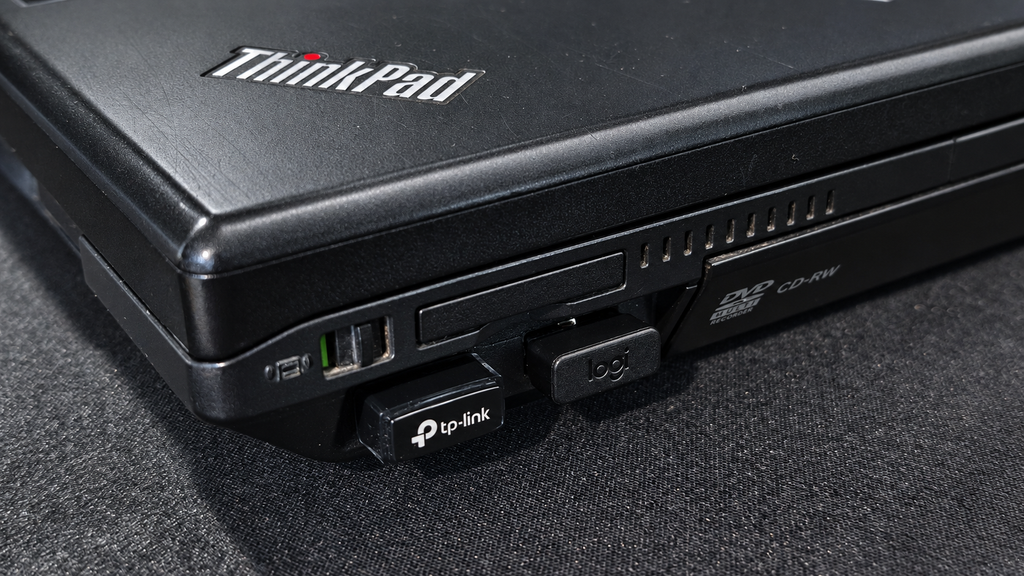
I purchased a TP-Link TL-WN725N Nano USB Wi-Fi Adapter from a local computer shop in Ivančna Gorica. The adapter uses a Realtek RTL8188EUS chipset and works through the Linux kernel’s rtl8xxxu driver. Linux Mint detects it as a USB 2.0 wireless device, and it is currently the ThinkPad’s active network interface.
Its nano-sized body makes it suitable for permanent installation. Only a small section protrudes from the laptop, so I can leave it connected while carrying and using the ThinkPad normally. In my garage, located in the lower part of the house behind concrete walls, the adapter delivered enough performance for browsing, writing, updates and normal online use.
You can read the complete unboxing, Linux setup and performance test here:
Related review: TP-Link TL-WN725N Review – This Tiny Wi-Fi Dongle Fixed My ThinkPad
09 // USING IT AS A WRITING LAPTOP
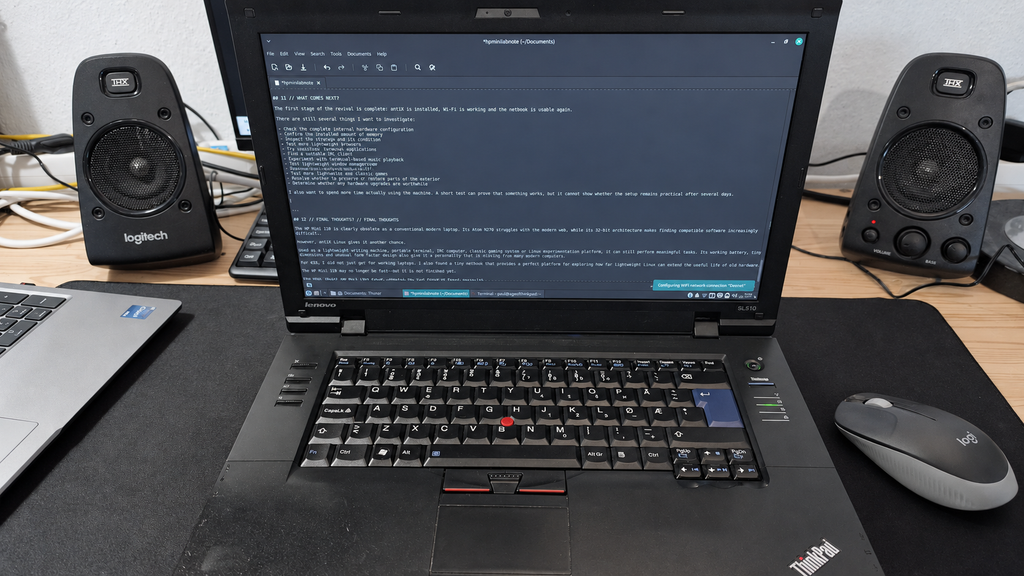
The SL510 has become my regular secondary writing machine.
Modern laptops are faster, lighter and far more efficient, but the ThinkPad provides a focused environment that works surprisingly well for writing. The traditional keyboard offers good key travel, the 15.6-inch display provides enough space for WordPress, and Linux Mint gives me all the applications I need. The laptop is heavy compared with a modern ultraportable, but that is not a major problem around the house. Its solid construction also makes it feel like a machine that can survive regular use.
The Core 2 Duo processor and 4 GB of RAM require some patience when loading demanding websites or opening many browser tabs. Once the editor is loaded, however, writing itself is comfortable. Several OpenBootLab posts have already been prepared on this machine. That gives the SL510 a genuine role in the project instead of leaving it stored as another piece of old hardware.
10 // COMPLETED WORK
The following work has been completed so far:
- Inspected and tested the laptop
- Installed a working replacement battery
- Installed a Samsung SSD 840 PRO
- Installed Linux Mint 22.3 with Xfce
- Tested the Intel integrated graphics
- Confirmed that the webcam, audio, Ethernet and Bluetooth are detected
- Investigated the internal Intel Wi-Fi problem
- Added the TP-Link TL-WN725N USB Wi-Fi adapter
- Started using the laptop regularly for OpenBootLab writing
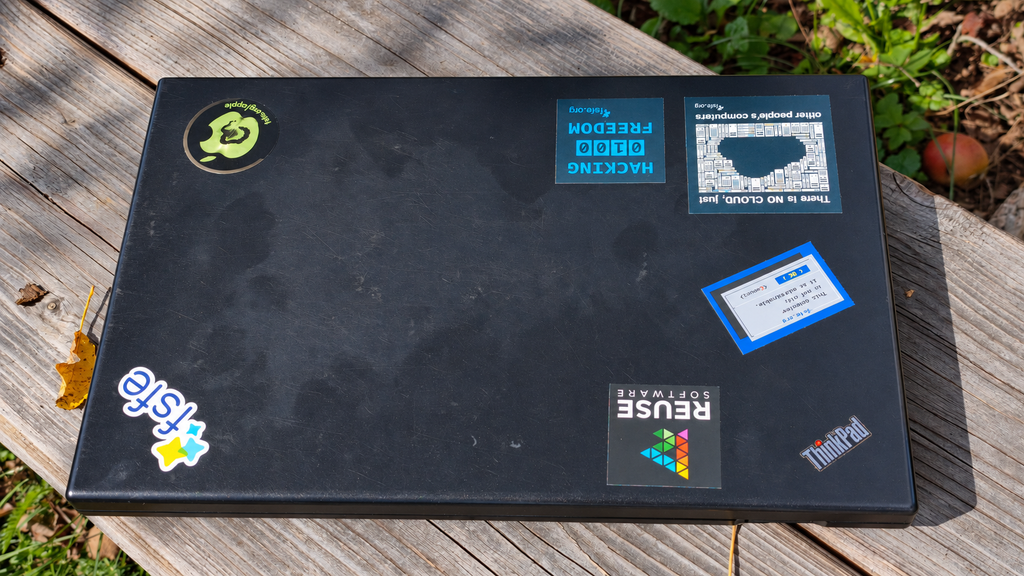
- Added Free Software and open-source stickers
The project is already functional, but it is not finished.
11 // FUTURE PLANS
Possible future work includes:
- Investigating the internal Intel Wi-Fi issue further
- Testing whether the memory can be upgraded beyond 4 GB
- Checking and cleaning the internal cooling system
- Replacing the thermal paste
- Measuring temperatures under sustained load
- Testing battery runtime during writing sessions
- Benchmarking the Core 2 Duo T5870 and Intel GM45 graphics
- Testing lightweight Linux distributions
- Trying period-appropriate and lightweight games
- Continuing to use it for writing and website management
- Documenting long-term reliability
Not every possible upgrade will necessarily be worthwhile. The main objective is to keep the project inexpensive and practical while learning how far this old business laptop can still go.
12 // PROJECT LOG
This section will be updated whenever something significant happens to the ThinkPad.
- September 2026: ThinkPad SL510 acquired as part of a €95 four-laptop haul
- September 2026: Replacement battery installed
- September 2026: Debian Wi-Fi connection problem investigated
- September 2026: Linux Mint 22.3 Xfce installed
- September 2026: TP-Link TL-WN725N added as the permanent Wi-Fi solution
- September 2026: ThinkPad placed into regular service as an OpenBootLab writing laptop
- September 2026: TP-Link TL-WN725N review published
13 // CURRENT STATUS
Status: Operational and in regular use
The ThinkPad SL510 now has a working battery, SSD, functional Linux installation and dependable wireless connection through the TP-Link adapter. It will never compete with a modern laptop in performance, portability or battery efficiency. That is not the purpose of the project.
The SL510 has already demonstrated that a machine built around a Core 2 Duo processor can still provide a pleasant writing environment when paired with an SSD and an appropriate Linux desktop.
Most importantly, it is no longer an unwanted old laptop from a used bundle. It has a purpose again—and it has become one of the machines actively helping to build OpenBootLab.
// END OF THE PROJECT PAGE