Tag: Xiaomi Redmi A3

  • Xiaomi Redmi A3 Unboxing & First Impressions

    Xiaomi Redmi A3 Unboxing & First Impressions

    The Xiaomi Redmi A3 is one of the cheapest Android smartphones you can buy, which made it an interesting device for OpenBootLab. After unboxing it, I used the phone for around two months to see what it was actually like to live with before eventually experimenting with Linux and turning it into something a little less ordinary.

    I bought the Redmi A3 around a year ago because I was curious about just how usable an extremely cheap smartphone could be. At the time, I paid around €59 per phone, which made me wonder whether you could actually live with a device this inexpensive as a normal daily phone. To make the experiment a bit more interesting, I actually bought two Redmi A3s, one for me and one for my wife. The idea was to use them normally and see how both of us would get along with such a cheap phone in everyday use.

    Rather than judging the Redmi A3 only from its specifications, I wanted to find out where the compromises would actually start to show after living with it for a while.


    The unboxing experience itself is pretty basic, which is exactly what I expected from a phone at this price. There is no premium presentation or anything unnecessary — you open the box, take out the phone, and get the essentials needed to start using it.

    You can watch the full Redmi A3 unboxing on the OpenBootLab YouTube channel below:

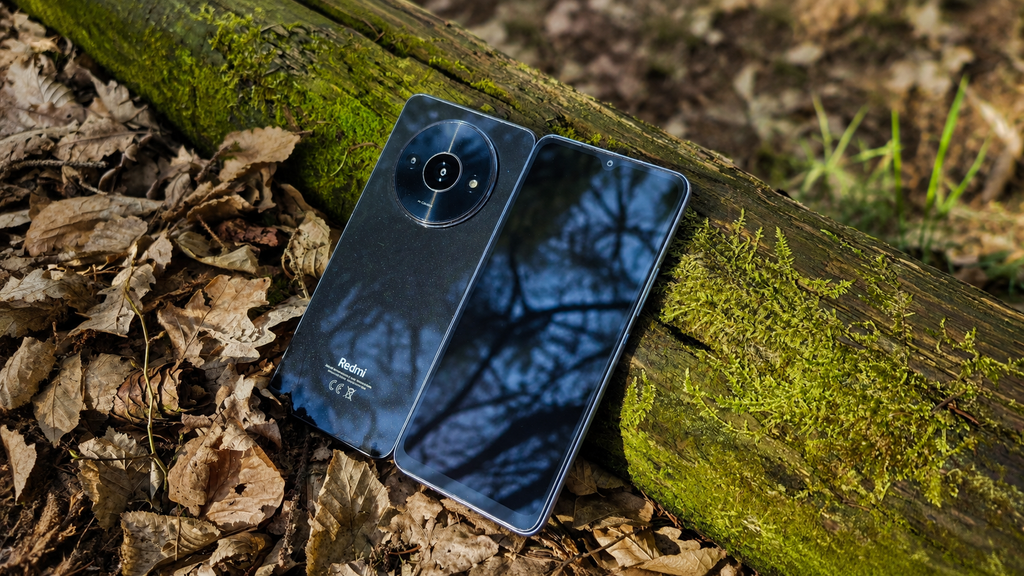
    What stood out more than the packaging was the phone itself. The Redmi A3 looked surprisingly good for something that cost around €59. The large circular camera module gives it a much more distinctive design than I expected from an entry-level device, and at first glance it really does not look like one of the cheapest smartphones on the market.

    That first impression became even stronger once I picked it up, but I’ll get into that in the next section.


    The first thing that surprised me about the Redmi A3 was how good it actually felt for the price. I already had a Samsung Galaxy A14 to compare it with, and despite the Redmi being the cheaper device, the A3 somehow felt more premium in the hand. A big part of that comes from the design. The large circular camera module gives the phone a much more distinctive look than most entry-level devices, and the overall build does not immediately scream “€59 phone.”

    Once you start using it, though, one of the first things you notice is just how large the screen bezels are. They make the phone look noticeably more budget-oriented from the front, especially compared with more expensive modern smartphones.

    The display, performance and cameras are also fairly basic, but during those first few hours the Redmi A3 still made a much better impression than I expected.

    That was what made me curious enough to use it for a longer period and find out whether the good first impression would survive everyday use.


    After the initial impressions, I used the Redmi A3 as my normal phone for around two months. For light everyday tasks, it genuinely surprised me. Messaging, browsing, watching videos and using simple apps all worked well, and it often felt more responsive than my Samsung Galaxy A16. I also liked having a 3.5 mm headphone jack. It is a small feature, but one I still appreciate.

    The limitations show up once you ask more from the phone. Using it for work, opening multiple documents, checking emails and switching between apps quickly slows it down. It works best when you keep things simple and focus on one task at a time. The camera is usable for basic photos, but not much more. It can record in Full HD, but the overall video quality is still quite basic.

    One downside is the occasional promotional notification for random apps and games. They can be disabled, but you have to dig through a few settings to get rid of them. It is annoying, but it is also one of the ways Xiaomi can keep phones like this so cheap.

    After two months, I was still more impressed than disappointed. For around €59, the Redmi A3 proved to be surprisingly capable as a basic everyday smartphone.


    The Redmi A3 is not a phone for heavy users, but for the price it does a lot better than I expected. For basic everyday use, it is responsive, the battery lasts well, the design feels more premium than the price suggests, and you still get useful features like the 3.5 mm headphone jack. The compromises are mostly where you would expect them: multitasking, camera quality and some annoying software promotions.

    Phones like the Redmi A3 also make a lot of sense in markets where more expensive smartphones can represent a much bigger part of someone’s income. In those places, a very cheap phone that still covers the basics can be far more important than flagship-level performance. It can also be a great choice as a first phone for a child. For watching YouTube, playing simple kids’ games and basic communication, it does the job without spending a lot of money on a device that may get dropped or damaged.

    Would I use it as my main phone long term? Probably not. But as a basic phone, backup device, first phone for a child or cheap platform for experiments, it makes a lot of sense.

    And that is exactly why this Redmi A3 did not end up sitting in a drawer. I later started experimenting with running Linux on it using Termux, Debian and Proot. You can check out that Lab Note here.


    Display: 6.71-inch IPS LCD, 90 Hz Resolution: 720 × 1650
    Chipset: MediaTek Helio G36 CPU: Octa-core
    RAM: 3 GB / 4 GB
    Storage: 64 GB / 128 GB
    Expandable Storage: microSD support
    Rear Camera: 8 MP Front Camera: 5 MP
    Video: Up to 1080p
    Battery: 5000 mAh
    Charging: 10 W Headphone
    Jack: 3.5 mm
    Connectivity: 4G LTE, Wi-Fi, Bluetooth
    Operating System: Android with Xiaomi software
    Fingerprint Sensor: Side-mounted
    USB: USB-C

    Specifications may vary slightly depending on the region and configuration.

  • Can the Xiaomi Redmi A3 Run Linux?

    Can the Xiaomi Redmi A3 Run Linux?

    I had a spare Xiaomi Redmi A3 sitting around and started wondering if it could be turned into something more useful. The idea was simple: can this cheap Android phone run a Linux environment, and could it eventually become the heart of my Android Cyberdeck project?


    This experiment started when I began looking into cyberdecks and different ways of building one myself. Most of the builds I found were based around single-board computers such as the Raspberry Pi, but that got me thinking about hardware I already had available.

    One device that immediately came to mind was the Xiaomi Redmi A3. It’s an inexpensive Android phone that I had already had it laying in my drawer. featured in an unboxing and first impressions post, and rather than leaving it sitting unused, I started wondering whether it could become the foundation of a cyberdeck.

    Before turning the Redmi A3 into a Linux experiment, I had already used the phone for around two months as a normal daily device. You can check out the unboxing and first impressions here.

    A smartphone already includes most of the hardware needed for a small portable computer: a display, battery, storage, Wi-Fi, Bluetooth and an ARM-based system. Reusing one would also fit perfectly with the idea behind Open Boot Lab — experimenting with hardware I already own instead of immediately buying something new.

    Before thinking seriously about the enclosure, keyboard and the rest of the hardware, there was one important question I needed to answer:

    Can the Xiaomi Redmi A3 actually run a usable Linux environment?

    The first goal was simple: use Termux to try running Debian inside Android and see how far I could get.

    If it worked, the Redmi A3 could become the foundation of the first Android Cyberdeck prototype. If it didn’t, I’d have to find another way forward.


    With the idea in place, it was time to see what the Redmi A3 could actually do.

    I didn’t want to unlock the bootloader, replace Android or make any permanent changes to the phone. For this first test, I wanted something simple that would let me experiment with Linux while keeping Android intact.

    I decided to use Termux, which provides a Linux-like terminal environment directly inside Android. From there, the plan was to use proot-distro to install Debian and run it alongside Android without requiring root access.

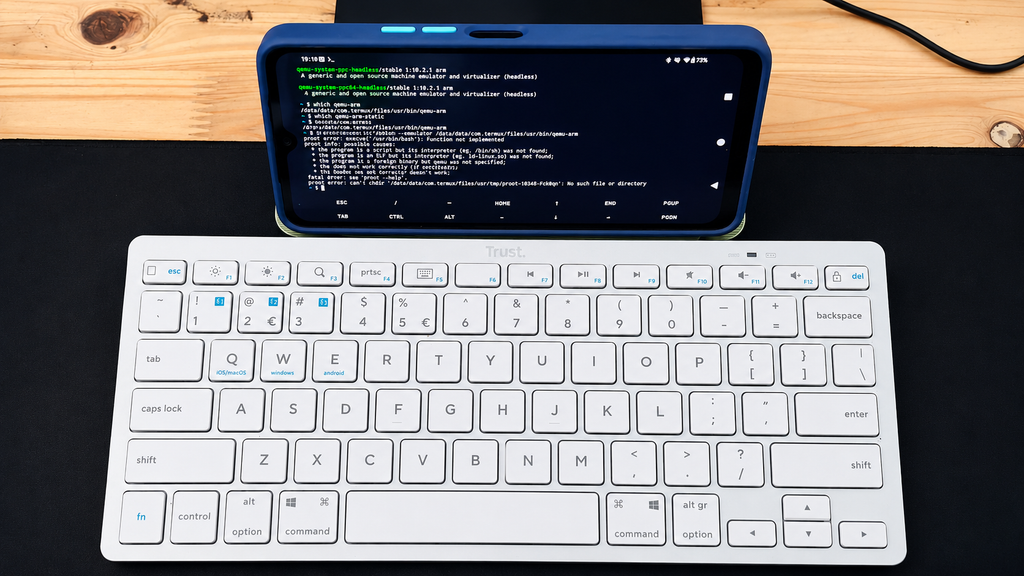
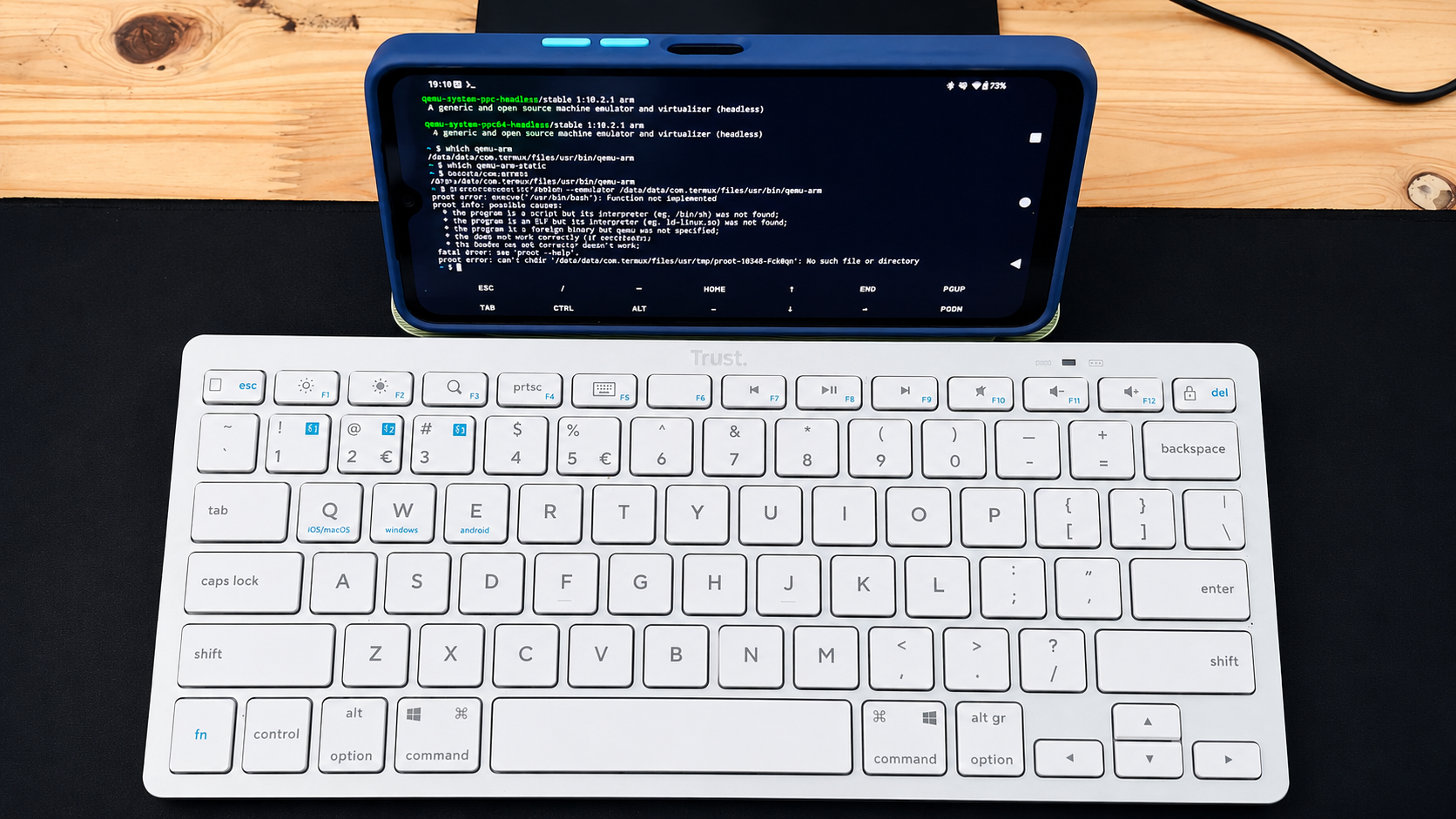
    To make testing easier, I also connected a Bluetooth keyboard to the Redmi A3. Typing commands directly on the phone’s touchscreen quickly becomes awkward, and using a physical keyboard made the setup feel much closer to the kind of portable computer I eventually want the Cyberdeck to become. For now, the keyboard was only there to make testing easier, but it was also the first small glimpse of what the finished setup could eventually look like.

    After installing Termux, I installed proot-distro and used it to set up a Debian environment.

    At this point, everything looked promising. Debian downloaded and installed, and it seemed like I was only a command away from having a usable Linux environment running on the Redmi A3.

    Then I tried to start Debian.

    Instead of opening a Debian shell, I got:


    The Exec format error was the first sign that this wasn’t going to be as straightforward as I expected.

    Debian appeared to install correctly, but the Redmi A3 couldn’t start the Bash executable inside the Debian environment. Rather than immediately giving up, I started checking what architecture Android and Termux were actually running on.

    First, I checked the architecture reported by the system:

    The result was:

    That was already interesting. I expected to be dealing with a modern 64-bit ARM environment, but the system was reporting simply arm. I then checked which architecture Termux itself was using:

    Again, the result was:

    Finally, I checked which CPU ABIs Android was exposing:

    The result made the situation much clearer:

    Android was exposing only 32-bit ARM ABIs to applications. This gave me the clearest indication yet of why the Linux experiment wasn’t behaving the way I initially expected and became the main clue for the next part of the troubleshooting.

    The Redmi A3 might still have enough hardware to make an interesting little computer, but the software environment was becoming the real obstacle.


    At this point, I knew that simply reinstalling Debian wasn’t likely to solve the problem. The Redmi A3 was exposing a 32-bit ARM environment, and proot-distro was still unable to start Debian’s Bash executable.

    Before giving up on the A3, I wanted to see if QEMU could provide a way around the architecture problem.

    I checked the available packages and installed QEMU support in Termux. The installed package was:

    I then checked where the ARM emulator was located:

    Termux returned:

    With qemu-arm available, I tried telling proot-distro to use it when starting Debian:

    Unfortunately, this didn’t get Debian running either. The workaround still failed to give me a usable Debian shell.

    I could probably continue digging deeper into QEMU, different root filesystems and other workarounds, but by this point the experiment was starting to move away from the original goal. I wasn’t trying to prove that Linux could be forced to run on the Redmi A3 at any cost , I wanted to find out whether the phone would make a practical base for a Cyberdeck.

    So far, the answer wasn’t looking particularly promising.


    So, can the Xiaomi Redmi A3 run Linux?

    The answer from this experiment is: not in the simple way I was hoping for.

    Termux itself works on the phone, and proot-distro was able to download and install a Debian environment. The problem appeared when it was time to actually start Debian. The Exec format error, combined with Android exposing only armeabi-v7a and armeabi, pointed towards the Redmi A3’s 32-bit Android userspace becoming a major limitation for this particular setup.

    I also tried using QEMU as a possible workaround, but that still didn’t give me a usable Debian environment.

    That doesn’t necessarily mean running Linux on the Redmi A3 is impossible. There may be other approaches, different distributions or more complicated workarounds that could get further than I did. But that wasn’t really the point of this experiment.

    I wanted a phone that could become a practical base for the Android Cyberdeck, something I could run Linux on without spending more time fighting the platform than actually building the project.

    For that purpose, the Redmi A3 isn’t the right choice for me. But the Cyberdeck project isn’t stopping here. The next candidate is a Xiaomi Redmi 15C 5G. Before doing anything else with it, I’ll check whether Android exposes a proper 64-bit ARM environment and then repeat the Linux experiment.

    If that works, the 15C 5G could become the hardware at the center of the first Cyberdeck prototype.

    The experiment continues.