LAB NOTE 004 // HP MINI 110 // ANTIX // 32-BIT LINUX
SEPTEMBER 2026
The HP Mini 110 comes from an era when netbooks were everywhere. These tiny and inexpensive computers were designed for basic browsing, writing and accessing the internet while travelling.
Today, their limited memory and ageing Intel Atom processors make them difficult to use with modern software. My particular HP Mini is powered by the 32-bit Intel Atom N270, which restricts the choice of supported operating systems even further.
With the right lightweight Linux distribution, could this little netbook still serve a useful purpose in 2026?
I recently acquired this white HP Mini 110 Special Edition as part of a €95 bundle containing four older laptops. It turned out to be one of the most interesting machines in the entire collection.

01 // THE LAPTOP HAUL
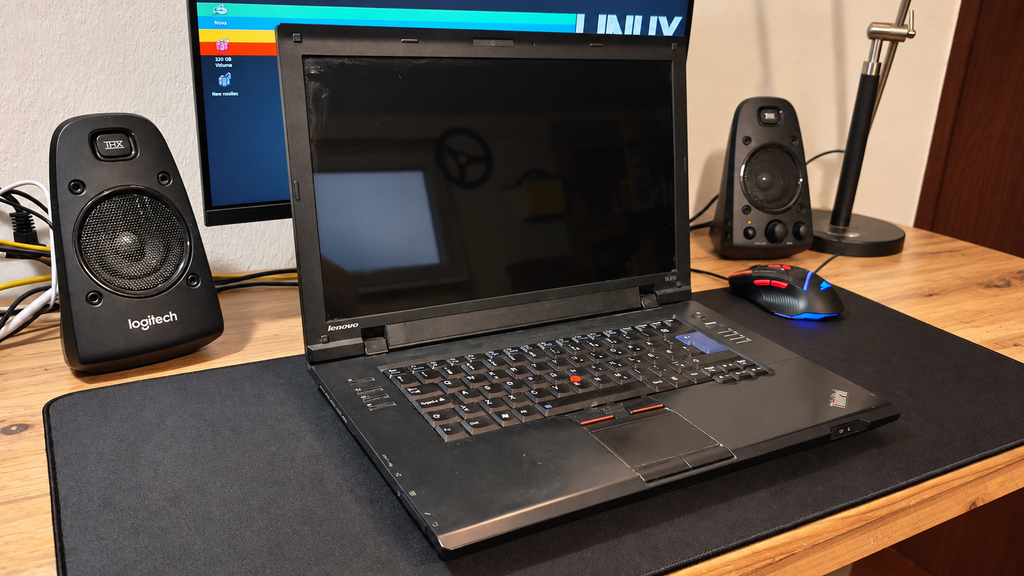
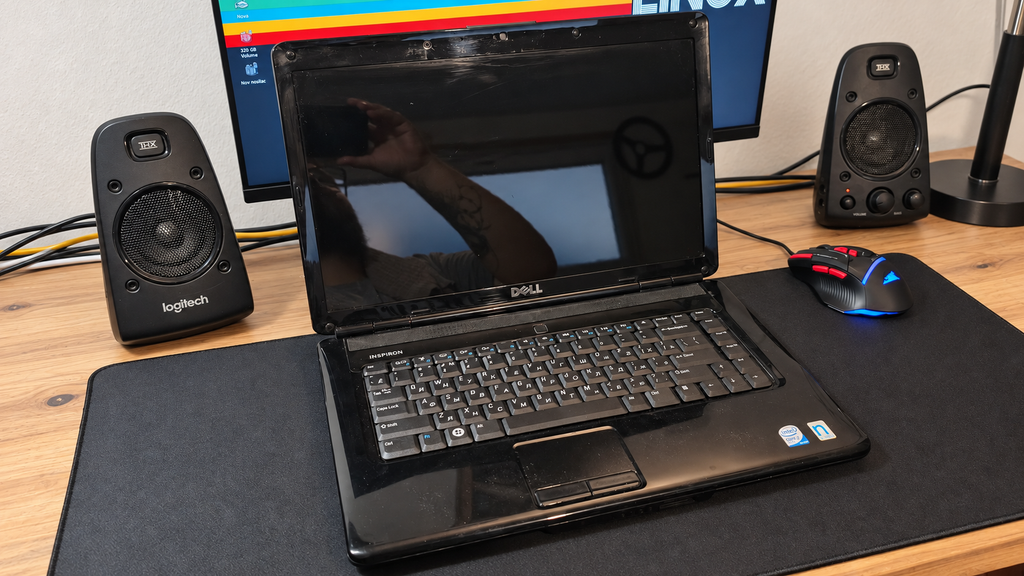
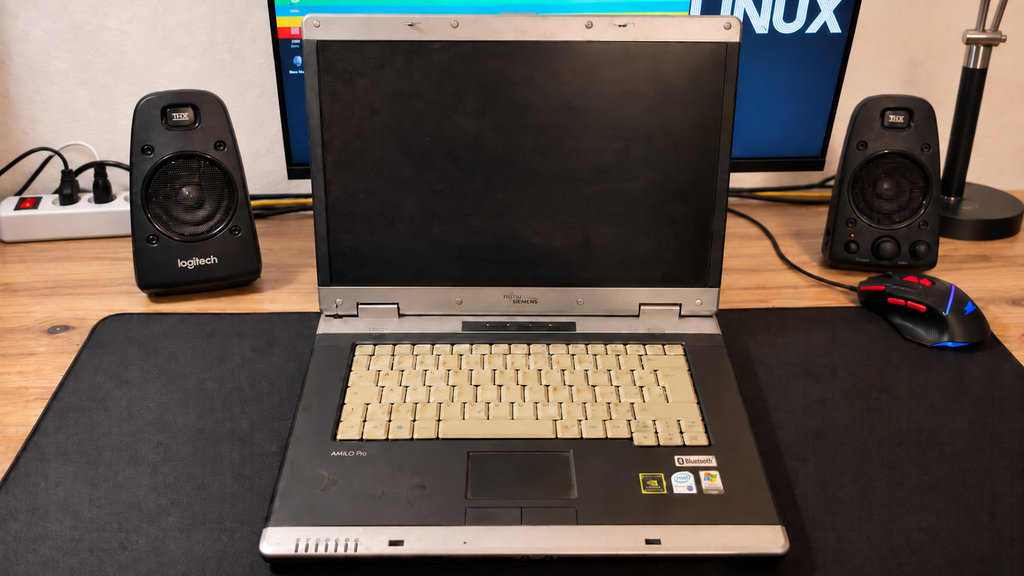
The HP Mini 110 arrived together with three other laptops:
- Lenovo ThinkPad SL510
- Dell Inspiron 1545
- Fujitsu Siemens Amilo Pro V3545
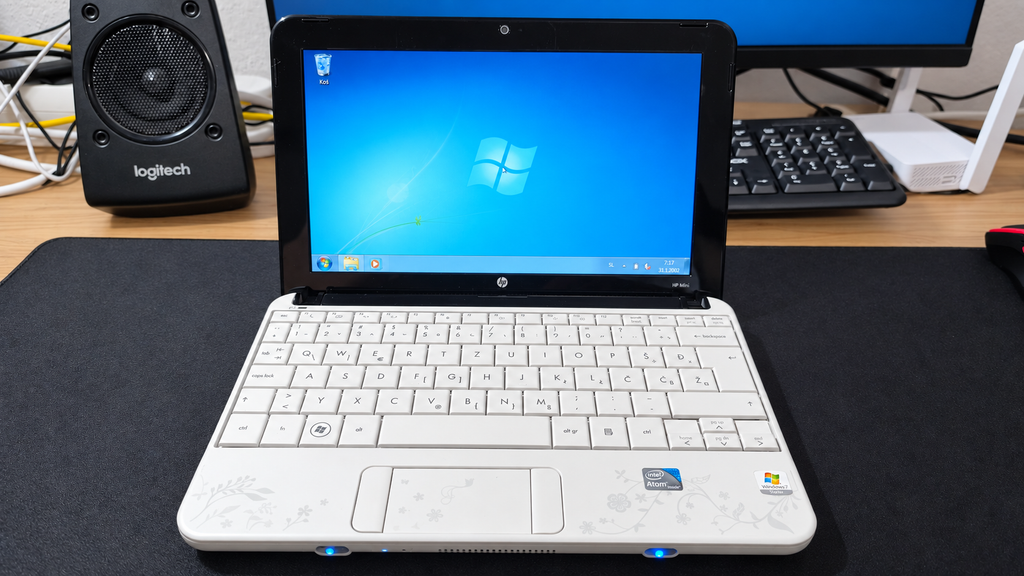
- HP Mini 110 Special Edition
All four computers were working, which already made the €95 bundle a surprisingly good purchase.
The batteries in the three larger Core 2 Duo laptops were effectively dead. Surprisingly, the little HP Mini was the only machine in the collection that could still run from its original battery.
That immediately made it more interesting as a genuinely portable retro computer.
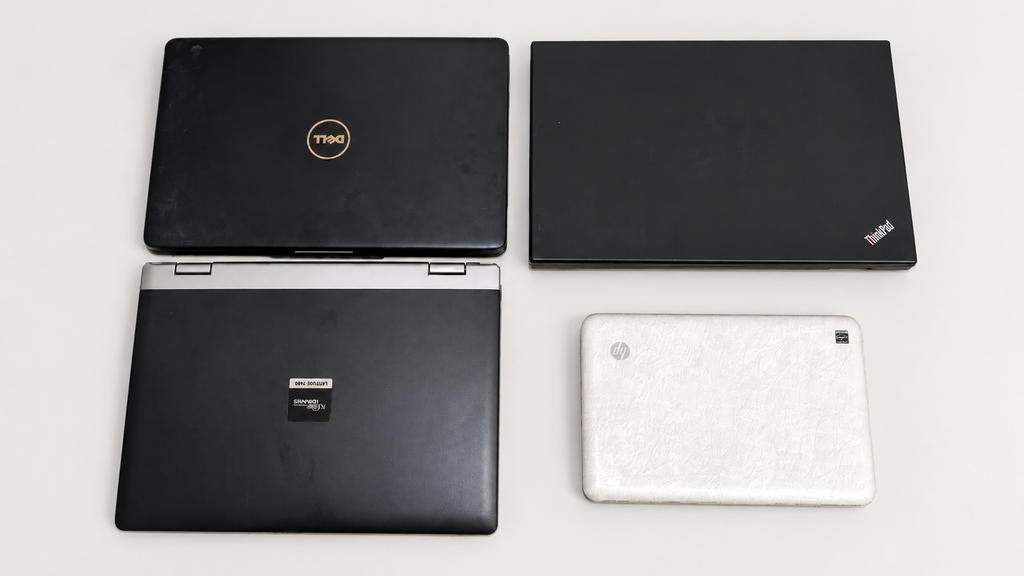
The HP Mini 110 was the smallest of the four laptops, and interestingly, the only one that arrived with a working battery. You can read more about the full €90 laptop haul here.
02 // THE TORD BOONTJE SPECIAL EDITION
This is not an ordinary black netbook like the Asus EeePC.
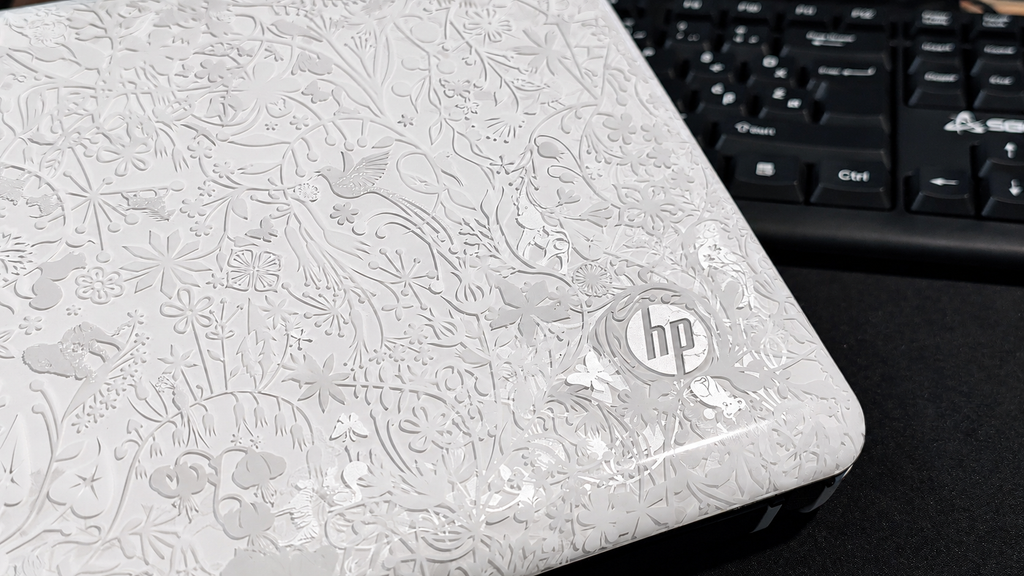
The model number printed on my machine is VT867EA#BED, but what makes it particularly interesting is its design. This is the HP Mini 110 by Studio Tord Boontje, a special edition created in collaboration with Dutch designer Tord Boontje.
Its white exterior is covered with an intricate floral pattern extending across the lid and palm rest. The layered design includes flowers, branches and small animals hidden among the details. It gives the netbook an appearance unlike almost any modern laptop.
The design is unmistakably connected to the late 2000s and early 2010s—a period when computer manufacturers were much more willing to experiment with colours, patterns and unusual limited editions.
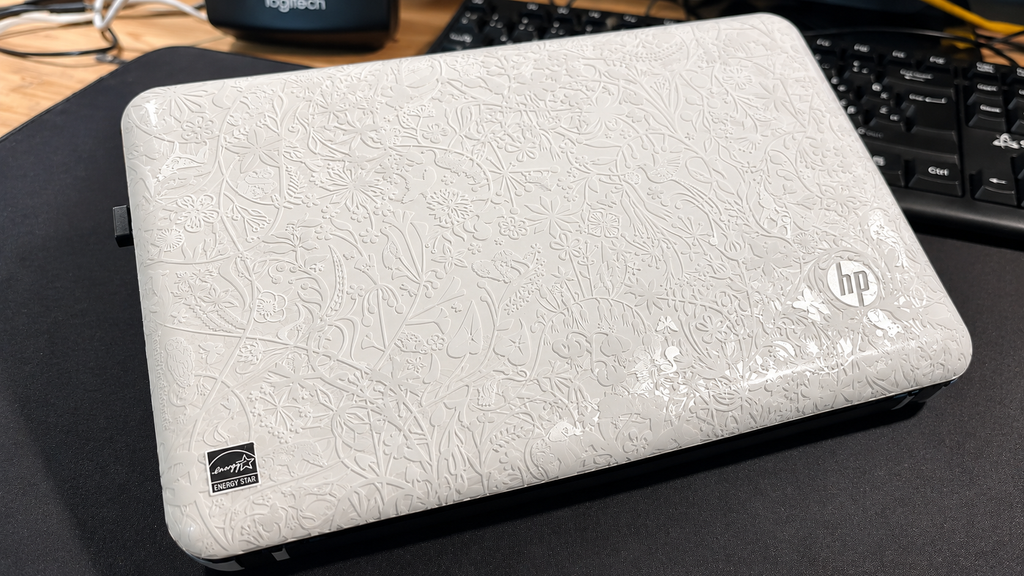
The distinctive floral artwork makes this much more interesting than an ordinary old netbook.
The finish has collected some marks over the years, but the netbook remains in good overall condition. I initially considered covering parts of it with black vinyl, although I am now hesitant to hide such a distinctive part of the machine’s identity.
Its small display and compact keyboard make it considerably smaller than a conventional laptop. Combined with the unusual Tord Boontje artwork, it feels more like a preserved piece of netbook history than an ordinary old computer.
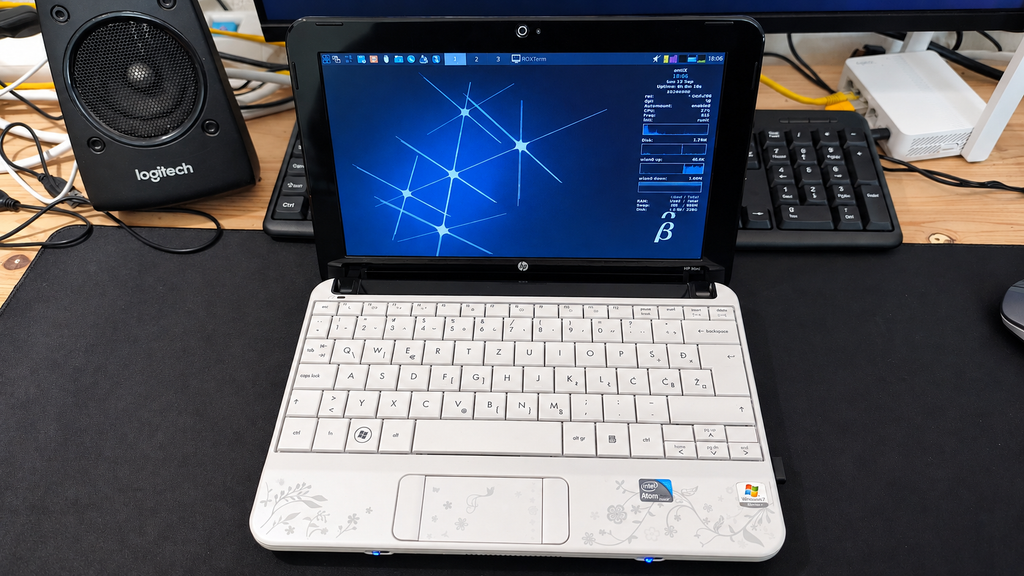
03 // THE ORIGINAL WINDOWS 7 STARTER INSTALLATION
When I received the HP Mini 110, it still had its original Windows 7 Starter installation.
Windows 7 Starter was a simplified edition of Windows created primarily for inexpensive netbooks. It offered fewer features than the other Windows 7 editions, but its lower hardware requirements made it a logical choice for machines such as the HP Mini 110.
Booting into the original installation felt like opening a small time capsule from the netbook era. Alongside Windows 7, HP had installed a considerable amount of additional software and bloatware.
One of the most noticeable additions was a game centre containing a collection of casual games. The selection included familiar titles such as Mahjong and Bejeweled, together with several other games divided across different categories and levels.

The original Windows 7 Starter installation was still present when I received the netbook.

The game centre was one of several additional programs preinstalled on the machine.
It is the kind of software package that was commonly installed on consumer laptops during this period. It adds to the authentic late-2000s experience, although it also consumes valuable storage and resources on a machine with very limited hardware.
The original installation was interesting to explore, but Windows 7 is no longer a suitable choice for a computer that will regularly connect to the internet. Instead of trying to turn it back into a practical everyday Windows machine, I decided to see whether lightweight Linux could give it a more useful second life.
04 // THE 32-BIT ATOM PROBLEM
The HP Mini 110 is powered by an Intel Atom N270, a single-core processor with two threads running at up to 1.60 GHz. It is paired with just 1 GB of RAM and, in my machine, a conventional 5400 RPM hard drive.
Even by modern low-end standards, that is an extremely limited combination. The 1 GB of memory leaves very little room for multitasking, while the mechanical hard drive makes loading applications and starting the operating system noticeably slower than what we are used to with SSDs today.
More importantly, the Atom N270 uses a 32-bit architecture. This significantly restricts the choice of modern operating systems because many Linux distributions no longer provide versions for 32-bit computers.
Atom processors were originally designed to consume little power and keep netbooks inexpensive. Even when these machines were new, performance was never their strongest feature. More than a decade later, modern websites and applications can easily overwhelm them.
Installing a conventional modern operating system would leave very few resources available for actual programs. Windows 10 or a feature-heavy Linux desktop would therefore make little sense on this hardware.
The challenge was not to make the HP Mini fast by modern standards. That would be impossible.
The goal was to find a lightweight 32-bit operating system capable of making its limited hardware useful again.
05 // INSTALLING ANTIX LINUX
For this experiment, I installed the 32-bit version of antiX Linux.
antiX is designed to work on older and resource-constrained computers. It avoids many of the heavy components found in mainstream desktop Linux distributions and provides a lightweight environment that remains practical on limited hardware.
Just as importantly, its availability for 32-bit hardware makes it suitable for systems powered by processors such as the Atom N270.
This made antiX a much more appropriate choice for the HP Mini 110 than the heavier Linux installations I use on my more powerful computers.
The result is not instant or especially fast, but the system is responsive enough to navigate, open lightweight applications and use the machine without constantly fighting the operating system.
Simply getting a usable Linux system running on hardware of this age already feels like a small victory. Here is what a full antiX boot looks like on the HP Mini 110 with its Atom N270, 1 GB of RAM and original 5400 RPM hard drive:
It is certainly not instant, but considering the age and limitations of the hardware, the result is surprisingly usable.
06 // FIXING THE WI-FI
The first issue appeared shortly after installing antiX: the internal Wi-Fi was not working correctly.
That was an important problem because a small portable computer loses much of its usefulness if it must remain connected through an Ethernet cable.
After some troubleshooting, I managed to get the wireless connection working. The HP Mini could finally connect to the network without needing an additional external adapter.
This is exactly the sort of small obstacle I expect when bringing old hardware back into service. The components may still work, but modern operating systems do not always support every old device immediately.
Once Wi-Fi was working, I could begin testing what the netbook was actually capable of doing.
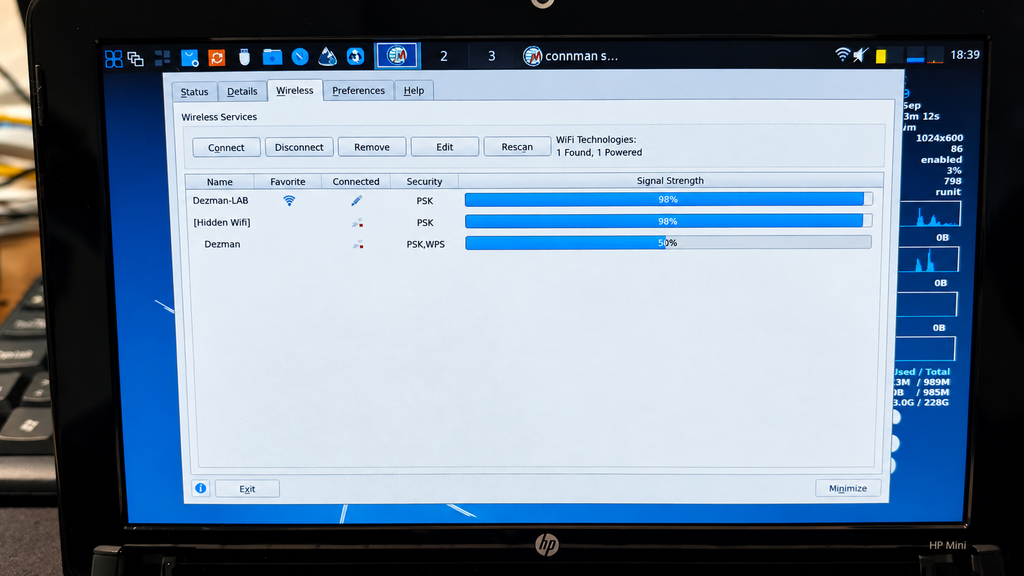
With the internal Wi-Fi working, the HP Mini became a genuinely portable Linux machine again.
07 // WHAT CAN IT STILL DO?
The modern web is probably the worst possible workload for an old Atom netbook.
Many websites now contain heavy scripts, advertisements, animations and background processes. Even a simple page can require considerably more processing power and memory than an entire desktop environment from the HP Mini’s original era.
Lightweight browsing is still possible, but expectations need to remain realistic. Simple pages work much better than large modern websites, and opening multiple browser tabs quickly becomes impractical.
The machine is much more convincing when used for focused, lightweight tasks:
- Writing text and notes
- Basic file management
- Using the Linux terminal
- Connecting to IRC
- Running terminal-based applications
- Managing files on other computers
- Lightweight network administration
- Experimenting with older software
- Learning more about Linux without distractions
These tasks suit the hardware much better than trying to use it like a modern multimedia laptop.
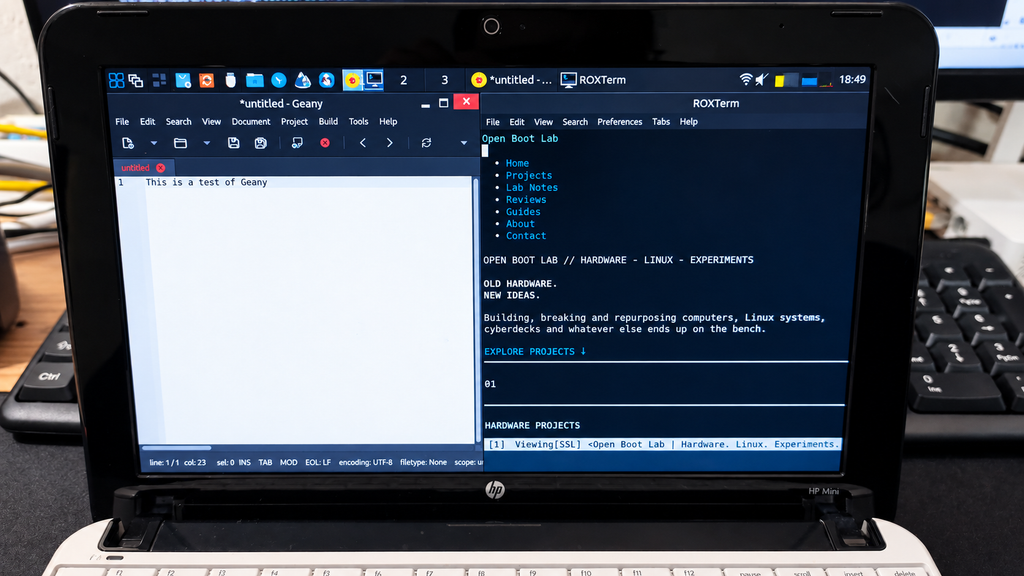
Of course, knowing that this is an old Atom-powered netbook did not stop me from trying a game or two.
The HP Mini is clearly not a gaming machine, but lightweight and older games are still worth experimenting with. Simple puzzle games, classic PC titles, DOS games and other less-demanding releases are a much better match for its limited hardware than anything modern. Testing games on computers that were never designed for gaming is also part of the fun. I do not expect impressive performance, but finding a few titles that run well could give the HP Mini another entertaining purpose.
I plan to cover my gaming results in a separate OpenBootLab lab note. Here’s Freedoom running on the HP Mini 110:
08 // A PORTABLE TERMINAL MACHINE
The most interesting role for the HP Mini may be as a small portable terminal.
Terminal applications require far fewer resources than modern graphical software. An IRC client, text editor, file manager or remote connection can run without placing the same load on the Atom processor as a modern browser. The small screen also makes more sense in this context. It is restrictive for complicated websites, but perfectly suitable for displaying a terminal, writing a document or monitoring another computer.
I have also been exploring terminal-based browsers and music clients. Not every modern service will work perfectly on hardware this old, but experimenting with these tools is part of the fun.
Rather than asking the HP Mini to do everything, I can give it a small number of specific jobs that match its capabilities.
09 // DISTRACTION-FREE WRITING
Another possible use is as a dedicated writing machine for OpenBootLab.
A modern computer makes it incredibly easy to become distracted by videos, social media, notifications and dozens of open browser tabs. The HP Mini does not encourage that kind of multitasking because it simply does not have the performance for it. That limitation could actually be useful.
With a lightweight text editor, the netbook could provide a simple environment for drafting articles and taking project notes. The keyboard is small, so I would not choose it for writing an entire book, but it could work well for preparing short drafts away from my main computer.
Sometimes a machine becomes more useful when it cannot do everything.
10 // THE LIMITATIONS
Installing antiX does not magically turn the HP Mini 110 into a fast computer.
Its limitations remain obvious:
- The Atom N270 is extremely slow by current standards.
- Its 32-bit architecture limits software and operating-system compatibility.
- The available memory is very limited.
- Modern websites can take a long time to load.
- Multiple browser tabs quickly reduce responsiveness.
- Modern video streaming is demanding.
- The small display limits the usable workspace.
- The compact keyboard requires some adjustment.
This is not a replacement for a modern laptop or Chromebook.
However, that is also not the point of the experiment. The HP Mini is interesting because it shows how much usefulness can still be recovered from hardware that most people would now consider obsolete.
11 // GIVING THE HP MINI A SECOND LIFE
The experiment with antiX proved that the HP Mini 110 can still be useful, but I am not quite finished with the hardware yet.
The first upgrade I would like to make is increasing the memory from 1 GB to 2 GB of RAM, assuming I can find a compatible module. Two gigabytes is still tiny by modern standards, but on a lightweight 32-bit Linux installation it should provide noticeably more breathing room.
The other obvious upgrade is storage. My HP Mini currently has its original-style 250 GB 5400 RPM mechanical hard drive, and replacing it with an SSD should make the system feel much more responsive when booting, launching applications and working with files. It will not make the Atom N270 any faster, of course, but it should remove one of the biggest remaining bottlenecks.
My original idea was to take this a little further and start using the HP Mini as an everyday-carry computer — a tiny machine that I could throw into a bag and use for writing, terminal work and other lightweight tasks.
There is just one problem with that plan. Since picking up the HP Mini, I have also started using an old ThinkPad SL510. With considerably more processing power, a much larger keyboard and a new replacement battery, the ThinkPad has unexpectedly become my main OpenBootLab writing machine.
That doesn’t mean the HP Mini is going back onto a shelf, though. Its tiny size, working battery and lightweight antiX installation give it a completely different character. I still want to upgrade it, experiment with it and find out exactly how useful a little Atom-powered netbook can be in 2026.
As for the ThinkPad? That is a story for another post.
12 // FINAL THOUGHTS
The HP Mini 110 is clearly obsolete as a conventional modern laptop. Its Atom N270 struggles with the modern web, 1 GB of RAM leaves very little room for multitasking, and its 32-bit architecture makes finding compatible modern software increasingly difficult.
But after spending some time with antiX, I don’t think this little netbook needs to be a conventional laptop anymore.
I can see it becoming a small home-lab terminal that I can keep nearby for connecting to servers and other machines over SSH, using IRC, running terminal applications and handling other lightweight tasks. For that kind of work, raw performance matters far less than having a small computer with a physical keyboard and a working battery. It could also become my truly portable writing machine.
The ThinkPad SL510 has already taken over as my main OpenBootLab writing laptop. It is considerably more powerful, has a much larger and more comfortable keyboard, and with the replacement battery I recently bought, it has become surprisingly practical for everyday use. I’ll have much more to say about that machine in another post.
But the ThinkPad is also big and heavy.
If I’m going for a walk in the woods, spending some time outdoors or going camping with my family, carrying a full-size old ThinkPad around doesn’t make much sense. The HP Mini does. It is small enough to throw into a bag and forget about until I want to sit down somewhere and write a few paragraphs, capture an idea or access something remotely.
There are still a couple of upgrades I would like to make. If I can find compatible memory, I want to increase it to 2 GB of RAM, and replacing the current 250 GB 5400 RPM hard drive with an SSD should make everyday use considerably more pleasant. Those upgrades won’t suddenly make an Atom N270 fast. They don’t need to.
For €90, I didn’t just get four working old laptops. I also found a tiny, unusual netbook that may end up having a surprisingly specific place in my setup: part home-lab terminal, part portable writing machine, and part Linux experimentation platform.
The HP Mini 110 may no longer be fast, but I think I’ve found a reason to keep using it.
// END OF LAB NOTE 004