Tag: Cyberdeck

  • Xiaomi Redmi 15C 5G – Unboxing & First Impressions

    Xiaomi Redmi 15C 5G – Unboxing & First Impressions

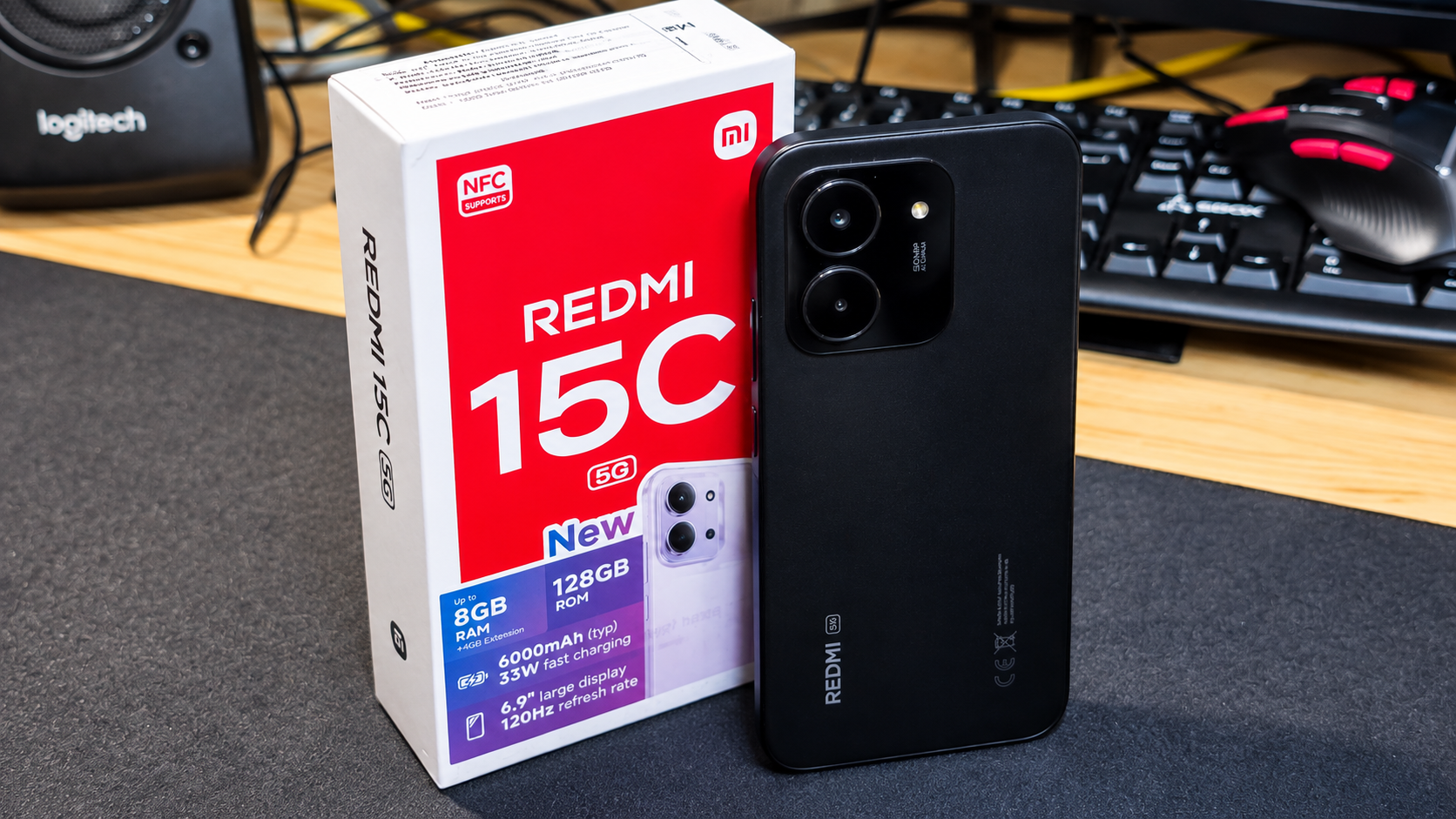
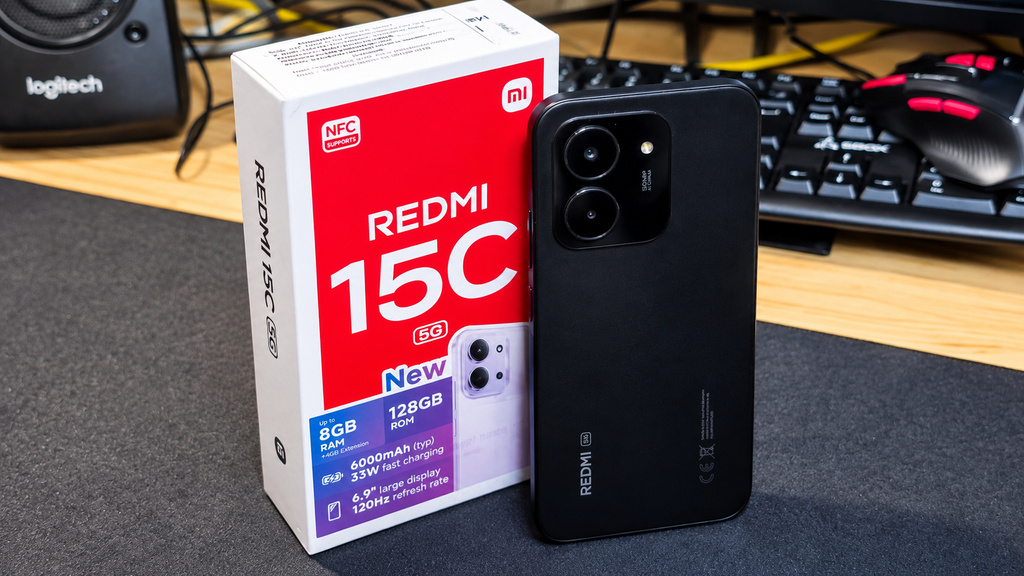
    The Redmi 15C 5G is an affordable Android phone with a large display, 5G connectivity and a massive battery. I picked one up not only to see what Xiaomi offers at the budget end in 2026, but also with a future OpenBootLab project in mind.

    Before the experiments begin, let’s unbox it and take a first look.

    The interesting part here is that this wasn’t originally supposed to be a normal smartphone purchase.

    After experimenting with running Linux on my Redmi A3, I decided that I wanted to take the idea further and build a phone-powered cyberdeck. The A3 proved that the basic concept worked, but for the final project I wanted something newer and more capable.

    The Redmi 15C 5G looked like an interesting candidate: it’s still a relatively inexpensive Android phone, but gives me a more modern platform to experiment with.

    And before I start doing strange things to it, I thought it deserved a proper unboxing.


    The unboxing experience is pretty straightforward. For the European market, there is no power adapter included in the box. You do get a USB-A to USB-C charging cable, documentation and the usual SIM eject tool.

    One nice addition is the included clear TPU case. It feels surprisingly good quality for a case bundled with a budget phone and fits the device well. It’s nothing fancy, but it means the phone is protected straight out of the box without needing to buy a case separately.

    In the video below, you can see the full unboxing, first boot and a quick look around Xiaomi HyperOS.


    The Redmi 15C 5G is a large phone, and you notice that immediately when you pick it up. Despite its budget price, though, it doesn’t feel particularly cheap in the hand. The plastic construction feels solid, and the overall design is clean and modern.

    The camera module on the back gives the phone a slightly more premium appearance than I expected at this price point. Xiaomi has kept the rest of the design fairly simple, which I actually like.

    Another welcome feature is the 3.5 mm headphone jack. It’s becoming increasingly uncommon on modern smartphones, so it’s nice to see Xiaomi keeping it on an affordable device like this. You can simply plug in a pair of wired headphones without needing an adapter or USB-C headphones.

    Of course, the size won’t be for everyone. This is definitely not a compact smartphone, but the large body also makes sense considering the big display and battery inside.

    Overall, my first impression of the build quality is positive. It still feels like a budget device, but not an unnecessarily cheap one.


    The Redmi 15C 5G comes with a large 6.9-inch display with a refresh rate of up to 120 Hz. The size is immediately noticeable, and for browsing, watching videos or simply navigating around Android, there’s plenty of screen space to work with. The bezels are still quite large, especially compared to more expensive modern smartphones, and there’s a noticeable chin at the bottom. At this price point, though, that’s difficult to complain about too much — some compromises have to be made to keep the price down.

    The display itself isn’t anything particularly premium, but for normal everyday use my first impression is that it does the job well. The higher refresh rate also helps make navigating through the interface feel smoother.

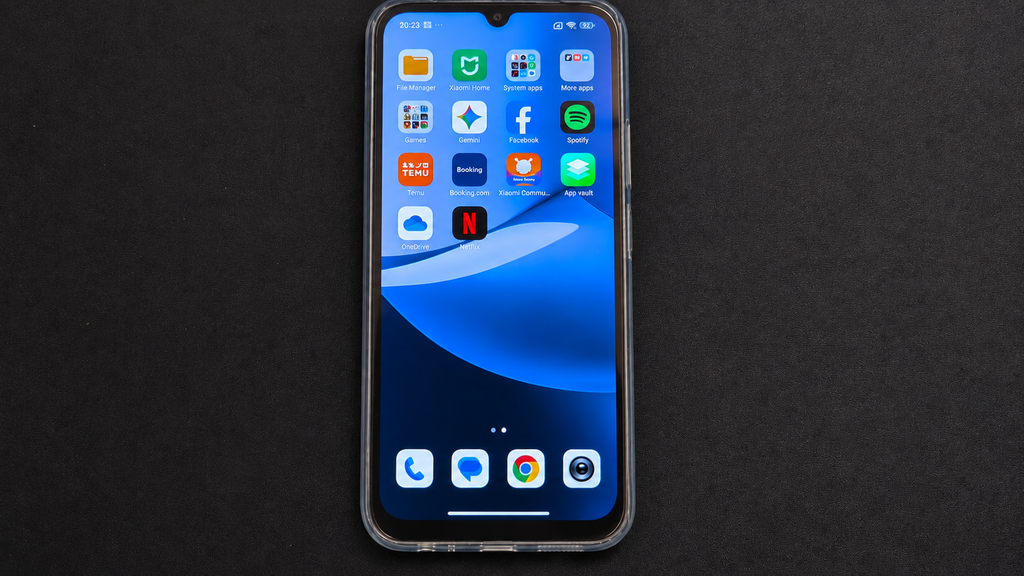
    The phone runs Xiaomi HyperOS, which felt responsive enough during my initial setup and short time navigating through the menus.

    One thing I wasn’t particularly impressed by was the amount of pre-installed software. There are already quite a few additional apps and games on the phone out of the box. Even during the initial setup, you’re presented with an option to install more supposedly “essential” apps, many of which are basically games.

    Most of this can be removed or simply skipped during setup, but it does make the initial experience feel unnecessarily cluttered. It’s something I’ve come to expect to some degree from inexpensive Android phones, but I’d still prefer a much cleaner installation from the start.

    I’ll need considerably more time with HyperOS on this hardware before making any conclusions about performance. And considering what I actually bought the Redmi 15C 5G for, stock Android usage is only the beginning.

    Inside, the Redmi 15C 5G is powered by the MediaTek Dimensity 6300, which also brings 5G connectivity to the device. My version comes with 128 GB of storage, with the box advertising up to 8 GB of RAM using memory extension.

    So far, performance feels perfectly adequate for what this phone is supposed to be. Navigating through HyperOS, opening apps and going through the initial setup hasn’t shown any major issues, although this is obviously far from a proper performance test.

    One of the bigger highlights is the 6000 mAh battery, paired with support for 33 W fast charging. For an inexpensive phone, having such a large battery is definitely appealing, although I’ll need to actually use the phone for a while before commenting on real-world battery life.

    You also get 5G and NFC, which makes the 15C considerably more interesting as an inexpensive everyday device — and also gives me a better platform for the experiments I have planned.

    I’m not going to run benchmarks or make any serious performance claims yet. This is only a first look, and there will be plenty of opportunities to push the hardware harder later.


    The Redmi 15C 5G features a 50 MP main camera, but I haven’t spent enough time with it yet to give it a proper evaluation.

    During my first look, I only briefly opened the camera and explored the interface. I haven’t taken enough photos in different conditions to make any meaningful conclusions about image quality.

    For now, I’ll leave the camera testing for a future post after I’ve actually spent some time using the phone.


    My first impressions of the Redmi 15C 5G are mostly positive. It’s obviously a budget phone and there are compromises, such as the large display bezels and the amount of pre-installed software, but the phone itself feels solid, HyperOS runs smoothly enough so far, and features such as 5G, NFC, a 6000 mAh battery and the 3.5 mm headphone jack make it an interesting package for the price.

    But simply using it as a normal Android phone isn’t really why I bought it.

    The Redmi 15C 5G will become part of several upcoming OpenBootLab experiments. First, I want to pair it with the Rii Bluetooth mini keyboard I’ve recently picked up and see how practical the combination actually is.

    After that, things get more interesting. I’ll be experimenting with running Linux on the Redmi 15C 5G, building on what I previously tried with the Redmi A3.

    Eventually, the phone is planned to become the heart of my Android Cyberdeck project, where the goal is to turn an inexpensive smartphone into something closer to a tiny portable computer.

    So this isn’t really the conclusion for the Redmi 15C 5G.

    It’s just the first boot.


  • Can the Xiaomi Redmi A3 Run Linux?

    Can the Xiaomi Redmi A3 Run Linux?

    I had a spare Xiaomi Redmi A3 sitting around and started wondering if it could be turned into something more useful. The idea was simple: can this cheap Android phone run a Linux environment, and could it eventually become the heart of my Android Cyberdeck project?


    This experiment started when I began looking into cyberdecks and different ways of building one myself. Most of the builds I found were based around single-board computers such as the Raspberry Pi, but that got me thinking about hardware I already had available.

    One device that immediately came to mind was the Xiaomi Redmi A3. It’s an inexpensive Android phone that I had already had it laying in my drawer. featured in an unboxing and first impressions post, and rather than leaving it sitting unused, I started wondering whether it could become the foundation of a cyberdeck.

    Before turning the Redmi A3 into a Linux experiment, I had already used the phone for around two months as a normal daily device. You can check out the unboxing and first impressions here.

    A smartphone already includes most of the hardware needed for a small portable computer: a display, battery, storage, Wi-Fi, Bluetooth and an ARM-based system. Reusing one would also fit perfectly with the idea behind Open Boot Lab — experimenting with hardware I already own instead of immediately buying something new.

    Before thinking seriously about the enclosure, keyboard and the rest of the hardware, there was one important question I needed to answer:

    Can the Xiaomi Redmi A3 actually run a usable Linux environment?

    The first goal was simple: use Termux to try running Debian inside Android and see how far I could get.

    If it worked, the Redmi A3 could become the foundation of the first Android Cyberdeck prototype. If it didn’t, I’d have to find another way forward.


    With the idea in place, it was time to see what the Redmi A3 could actually do.

    I didn’t want to unlock the bootloader, replace Android or make any permanent changes to the phone. For this first test, I wanted something simple that would let me experiment with Linux while keeping Android intact.

    I decided to use Termux, which provides a Linux-like terminal environment directly inside Android. From there, the plan was to use proot-distro to install Debian and run it alongside Android without requiring root access.

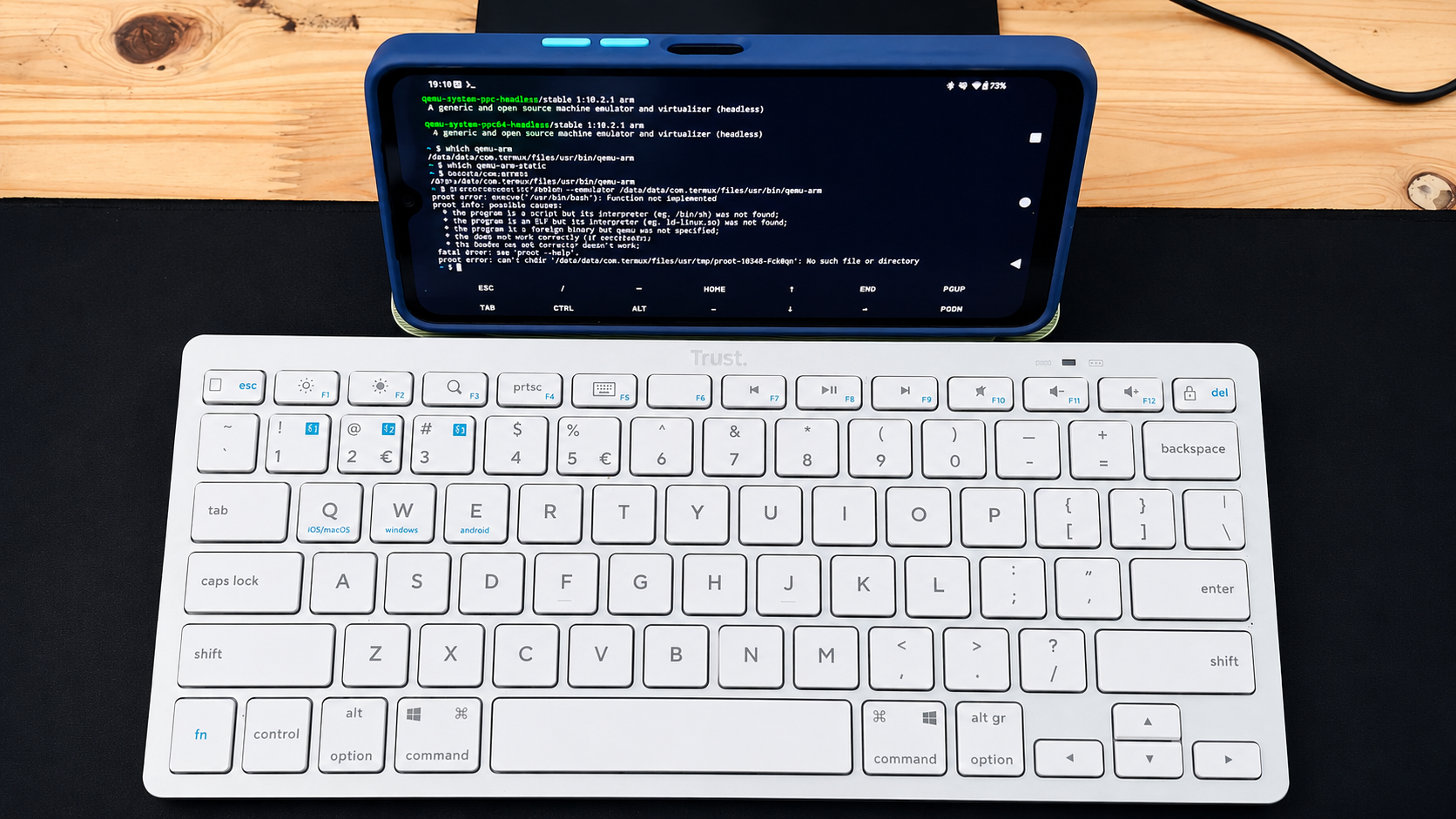
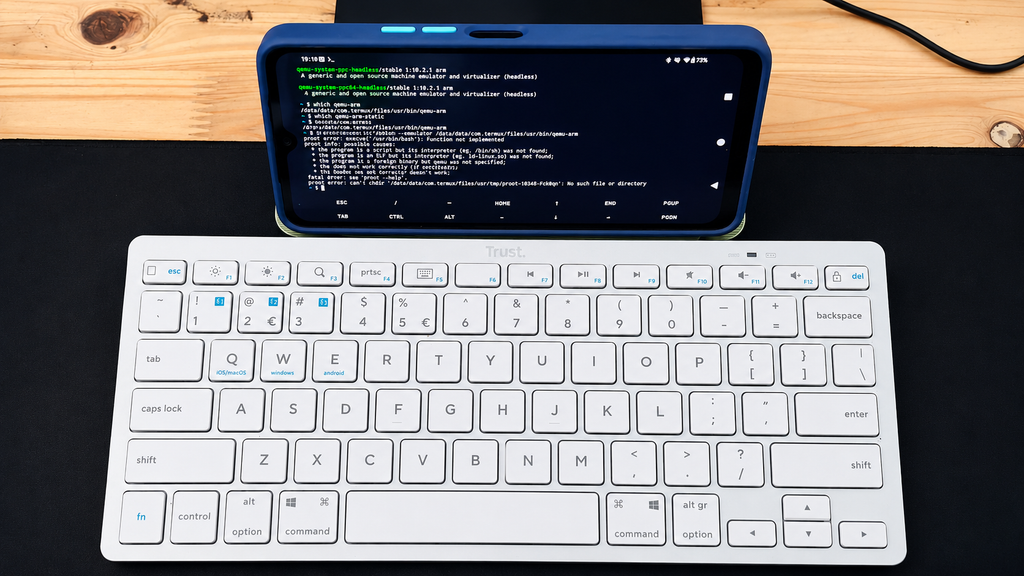
    To make testing easier, I also connected a Bluetooth keyboard to the Redmi A3. Typing commands directly on the phone’s touchscreen quickly becomes awkward, and using a physical keyboard made the setup feel much closer to the kind of portable computer I eventually want the Cyberdeck to become. For now, the keyboard was only there to make testing easier, but it was also the first small glimpse of what the finished setup could eventually look like.

    After installing Termux, I installed proot-distro and used it to set up a Debian environment.

    At this point, everything looked promising. Debian downloaded and installed, and it seemed like I was only a command away from having a usable Linux environment running on the Redmi A3.

    Then I tried to start Debian.

    Instead of opening a Debian shell, I got:


    The Exec format error was the first sign that this wasn’t going to be as straightforward as I expected.

    Debian appeared to install correctly, but the Redmi A3 couldn’t start the Bash executable inside the Debian environment. Rather than immediately giving up, I started checking what architecture Android and Termux were actually running on.

    First, I checked the architecture reported by the system:

    The result was:

    That was already interesting. I expected to be dealing with a modern 64-bit ARM environment, but the system was reporting simply arm. I then checked which architecture Termux itself was using:

    Again, the result was:

    Finally, I checked which CPU ABIs Android was exposing:

    The result made the situation much clearer:

    Android was exposing only 32-bit ARM ABIs to applications. This gave me the clearest indication yet of why the Linux experiment wasn’t behaving the way I initially expected and became the main clue for the next part of the troubleshooting.

    The Redmi A3 might still have enough hardware to make an interesting little computer, but the software environment was becoming the real obstacle.


    At this point, I knew that simply reinstalling Debian wasn’t likely to solve the problem. The Redmi A3 was exposing a 32-bit ARM environment, and proot-distro was still unable to start Debian’s Bash executable.

    Before giving up on the A3, I wanted to see if QEMU could provide a way around the architecture problem.

    I checked the available packages and installed QEMU support in Termux. The installed package was:

    I then checked where the ARM emulator was located:

    Termux returned:

    With qemu-arm available, I tried telling proot-distro to use it when starting Debian:

    Unfortunately, this didn’t get Debian running either. The workaround still failed to give me a usable Debian shell.

    I could probably continue digging deeper into QEMU, different root filesystems and other workarounds, but by this point the experiment was starting to move away from the original goal. I wasn’t trying to prove that Linux could be forced to run on the Redmi A3 at any cost , I wanted to find out whether the phone would make a practical base for a Cyberdeck.

    So far, the answer wasn’t looking particularly promising.


    So, can the Xiaomi Redmi A3 run Linux?

    The answer from this experiment is: not in the simple way I was hoping for.

    Termux itself works on the phone, and proot-distro was able to download and install a Debian environment. The problem appeared when it was time to actually start Debian. The Exec format error, combined with Android exposing only armeabi-v7a and armeabi, pointed towards the Redmi A3’s 32-bit Android userspace becoming a major limitation for this particular setup.

    I also tried using QEMU as a possible workaround, but that still didn’t give me a usable Debian environment.

    That doesn’t necessarily mean running Linux on the Redmi A3 is impossible. There may be other approaches, different distributions or more complicated workarounds that could get further than I did. But that wasn’t really the point of this experiment.

    I wanted a phone that could become a practical base for the Android Cyberdeck, something I could run Linux on without spending more time fighting the platform than actually building the project.

    For that purpose, the Redmi A3 isn’t the right choice for me. But the Cyberdeck project isn’t stopping here. The next candidate is a Xiaomi Redmi 15C 5G. Before doing anything else with it, I’ll check whether Android exposes a proper 64-bit ARM environment and then repeat the Linux experiment.

    If that works, the 15C 5G could become the hardware at the center of the first Cyberdeck prototype.

    The experiment continues.