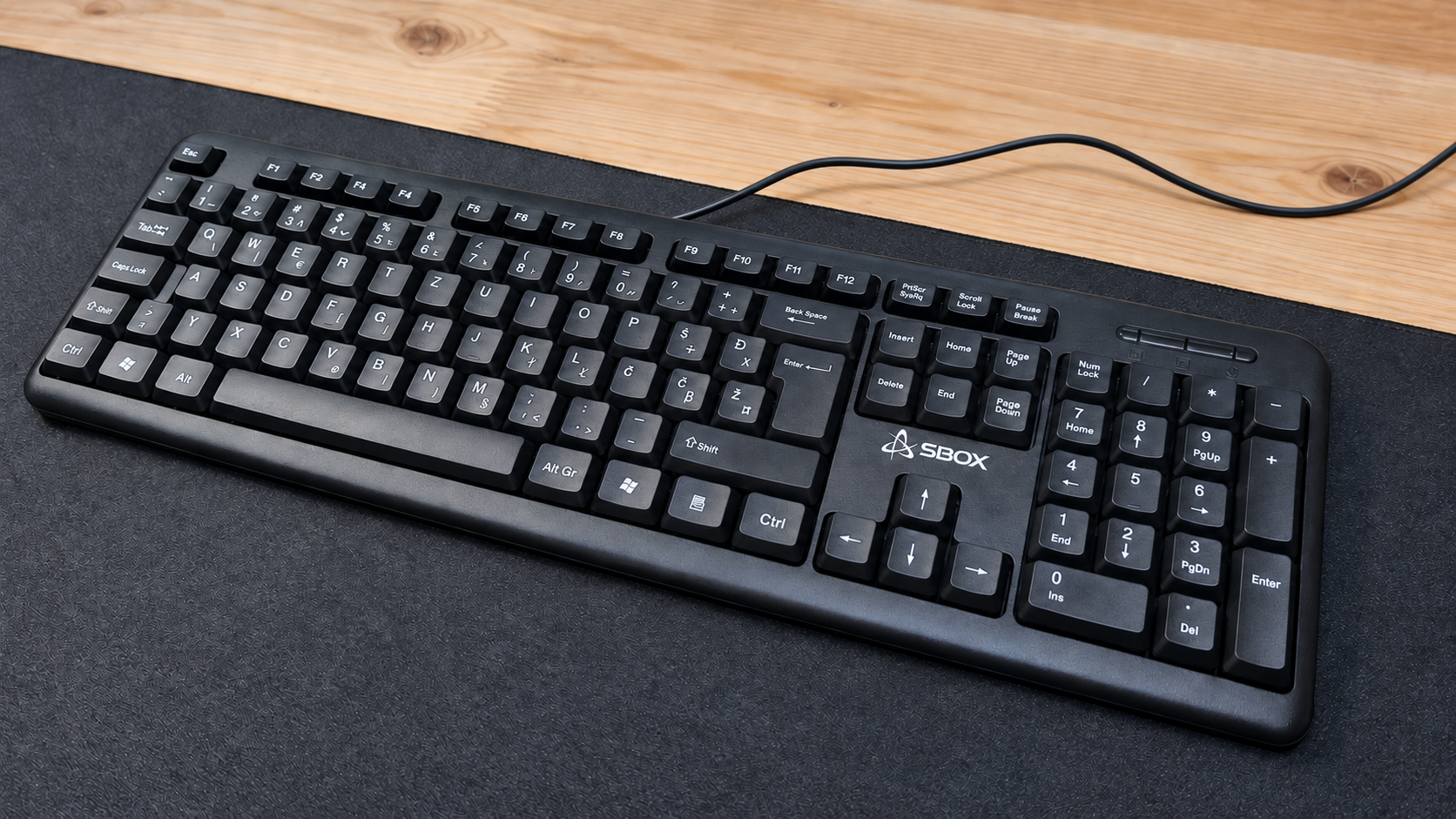
REVIEW 002 // SBOX K-14 // BUDGET KEYBOARD
September 2026
Can a €6 Keyboard Be Any Good? SBOX K-14 Unboxing and First Impressions.
01 // INTRODUCTION
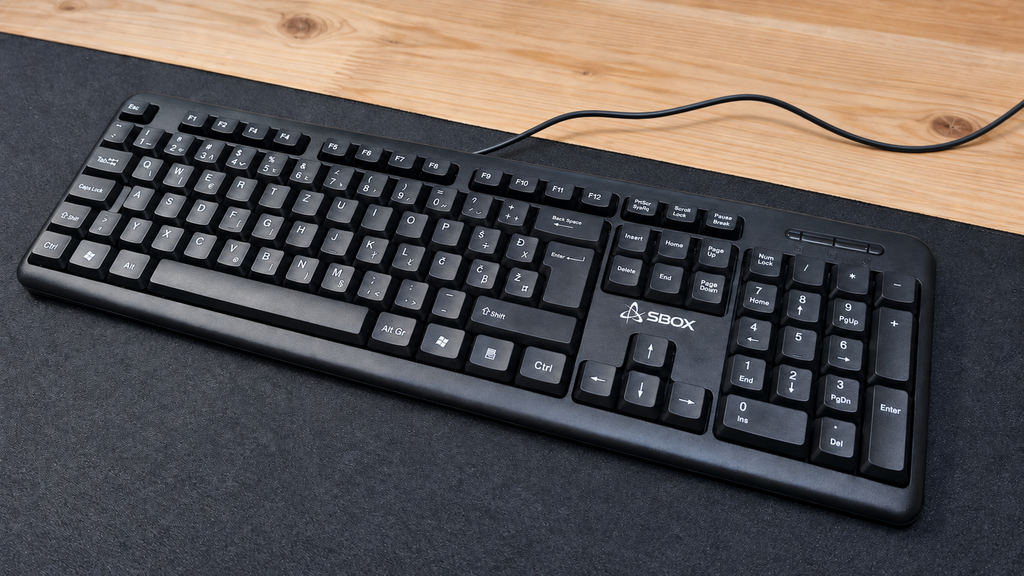
The SBOX K-14 is one of the cheapest new keyboards I could find. I purchased it from TechTrade for only €6.71, which made me curious about what such a low-cost keyboard could actually offer.
I wanted to find out whether it could be used for gaming, writing OpenBootLab posts and basic everyday tasks, or whether its extremely low price would make it frustrating to use.
My immediate reaction after removing it from the box was simple: this keyboard is unbelievably light. The plastic feels very cheap, and the entire body flexes significantly with little pressure. That was not completely unexpected for €6.70, but the amount of flex still surprised me.
Build quality is only one part of the experience, however. The real question is whether the SBOX K-14 can still function as a usable keyboard despite feeling so inexpensive.
Watch the complete SBOX K-14 unboxing below:
02 // SPECIFICATIONS
The SBOX K-14 is a basic full-size wired keyboard designed for everyday computer use. According to the specifications listed by TechTrade, it offers:
- 105-key full-size layout
- Slovenian/Croatian key layout
- Membrane switches
- Rated lifetime of three million presses per key
- USB 2.0 connection
- 1.35-metre fixed cable
- 5 V / 100 mA USB power
- Dimensions of 445 × 156 × 22 mm
- Weight of approximately 530 g
- Official compatibility with Windows XP, Vista, 7, 8 and 10
- 12-month warranty
The official compatibility list appears dated and does not mention Windows 11 or Linux. However, as a standard USB keyboard, it should work as a plug-and-play input device on most modern operating systems. I tested it on Arch Linux and will cover the results later in the post.
There is no backlighting, wireless connectivity, software suite or gaming-focused feature set. This is a conventional membrane keyboard focused on providing the most basic functionality at the lowest possible price.
03 // DESIGN AND BUILD QUALITY
he SBOX K-14 has a traditional full-size layout with a function-key row, navigation keys, arrow keys and a numeric keypad. One positive aspect is its relatively compact outer frame. There is very little unnecessary plastic surrounding the keys, so it does not occupy more desk space than a full-size keyboard actually needs.
Its construction immediately reveals where the low price comes from. The plastic feels very cheap, the keyboard is extremely light, and the chassis flexes significantly with little pressure. It does not feel particularly sturdy, although that is not entirely surprising for a keyboard costing only €6.70.
There are fold-out legs underneath, allowing the keyboard to be raised to a more comfortable typing angle. However, it has no rubber feet to grip the desk. Combined with its low weight, this means the keyboard slides around with very little force. The underside also includes several drainage holes. These should allow small amounts of spilled liquid to pass through the keyboard instead of remaining trapped inside, although I did not deliberately test this feature.
The permanently attached 1.35-metre USB cable also feels thin and inexpensive. It should be long enough for a typical desktop setup, but its durability will only become clear after longer use.
Overall, the K-14 offers a sensible and space-efficient full-size form factor, but its materials, flex and lack of grip make it obvious that keeping the price as low as possible was the main priority.
04 // TYPING FEEL AND SOUND
The SBOX K-14 uses membrane switches, and the keys feel very mushy when pressed. Despite that, they are reasonably responsive for normal typing, and the keyboard is more comfortable to use than its extremely cheap construction initially suggested.
The plastic does not feel pleasant beneath the fingers and constantly reminds you that this is a €6.70 keyboard. The larger keys, including Space and Enter, feel and sound fairly average. They are not particularly good, but they also do not stand out as a major problem.
I made a few typing mistakes while testing it, although the number of missed or incorrect presses was not bad enough to make the keyboard frustrating. With more time, I would probably become more accustomed to its feel.
One of its strongest qualities is how quiet it is. The K-14 produces very little noise during normal typing, which could make it suitable for a shared room, a quiet office or late-night use.
If this were the only keyboard I had, I could comfortably use it to write multiple OpenBootLab posts and complete everyday tasks. However, if I had more money available, I would choose something with better materials and a more precise typing feel.
The video below demonstrates how the SBOX K-14 sounds during normal typing and when pressing several individual keys. No background music was added, allowing the keyboard itself to be heard clearly.
05 // CONNECTION AND COMPATIBILITY
I tested the SBOX K-14 with my main desktop running Arch Linux and with my laptop running Windows 11 Pro.
The keyboard was recognised immediately on both systems. I only had to connect the USB cable, and it was ready to use within seconds. No drivers, additional software or manual configuration were required—which is exactly what I expected from a standard wired USB keyboard.
All the keys I tested worked correctly, including the Slovenian and Croatian characters Č, Š, Ž and Đ. The numeric keypad and the rest of the full-size layout also worked without any problems.
Although the product information only officially lists older Windows versions, the K-14 worked normally with Windows 11 Pro and Arch Linux during my testing. Its simple plug-and-play compatibility is one of the areas where this inexpensive keyboard delivers exactly what it should.
06 // GAMING TEST
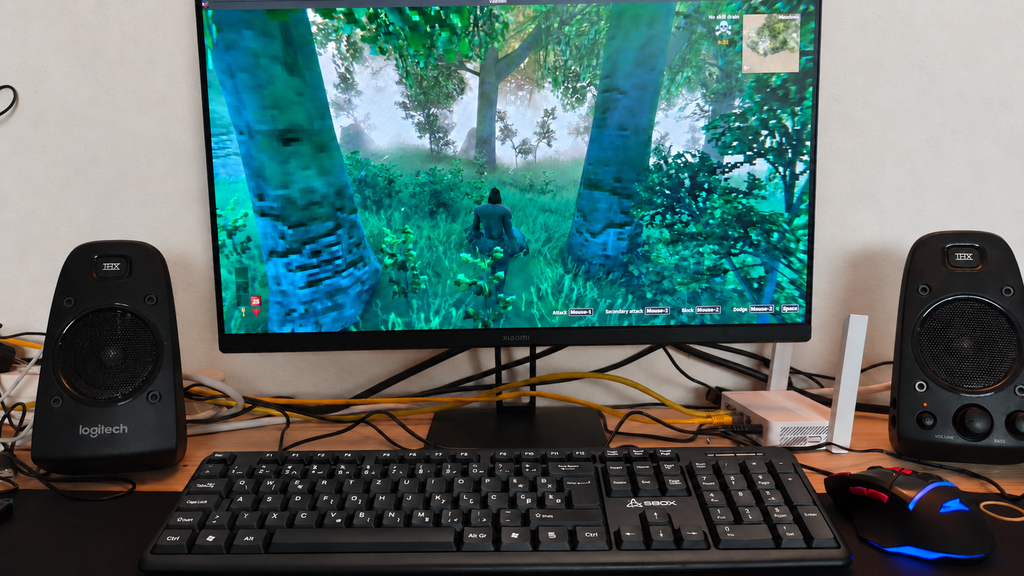
I mainly play single-player games rather than competitive multiplayer titles, and for that kind of gaming, the SBOX K-14 is good enough.
Basic movement and normal controls work without any major problems. However, when moving and pressing several keys very quickly, the keyboard can occasionally fail to register an input. This is unlikely to be a serious issue in slower single-player games, but it could become frustrating in fast or competitive titles where every keypress matters.
The lack of rubber feet is also more noticeable while gaming. Because the keyboard is extremely light, it can slide across the desk during more intense moments.
This is clearly not a gaming keyboard, and anyone who needs reliable multi-key input should look for something better. However, if the SBOX K-14 is the only new keyboard you can afford, it is still sufficient for casual gaming and everyday computer use.
I am also writing this post on the K-14, which proves that it is usable beyond a short test. And if a particularly frustrating game ever causes it to meet an unfortunate end, at least replacing a €6.70 keyboard will not be too painful.
07 // FINAL VERDICT
So, can a €6.70 keyboard actually be any good? The answer depends entirely on what you expect from it.
The SBOX K-14 feels extremely cheap. Its plastic is unpleasant, the chassis flexes considerably, the cable is thin, and the lack of rubber feet allows it to slide around the desk. The keys are also very mushy, and fast combinations are not always registered correctly.
Despite those weaknesses, the keyboard is still functional. It is comfortable enough for writing, extremely quiet, compatible with both Arch Linux and Windows 11 Pro, and usable for basic tasks and casual single-player gaming. I even wrote this post using it.
I would not choose the K-14 if I had enough money for a better keyboard. However, for someone who needs the cheapest possible new keyboard, a temporary replacement, or a spare for troubleshooting computers, it does the job.
For €6.70, I cannot call it impressive—but I also cannot call it useless. It is exactly what it promises to be: an extremely cheap keyboard that works.
Would you use a keyboard this inexpensive as your main keyboard, or would you keep it only as a spare?
// END OF REVIEW 002